The AEO & Web Performance Glossary
Search, AI answers, page speed and whether a bot can read your site all get talked about as if one trick fixes them all. It does not. This source-linked glossary explains 26 terms, how they connect, and where the evidence stops.
Hassan Jamal·Published ·Updated ·24 min read
Hassan builds custom Next.js sites engineered to be fast for people and readable by AI search.
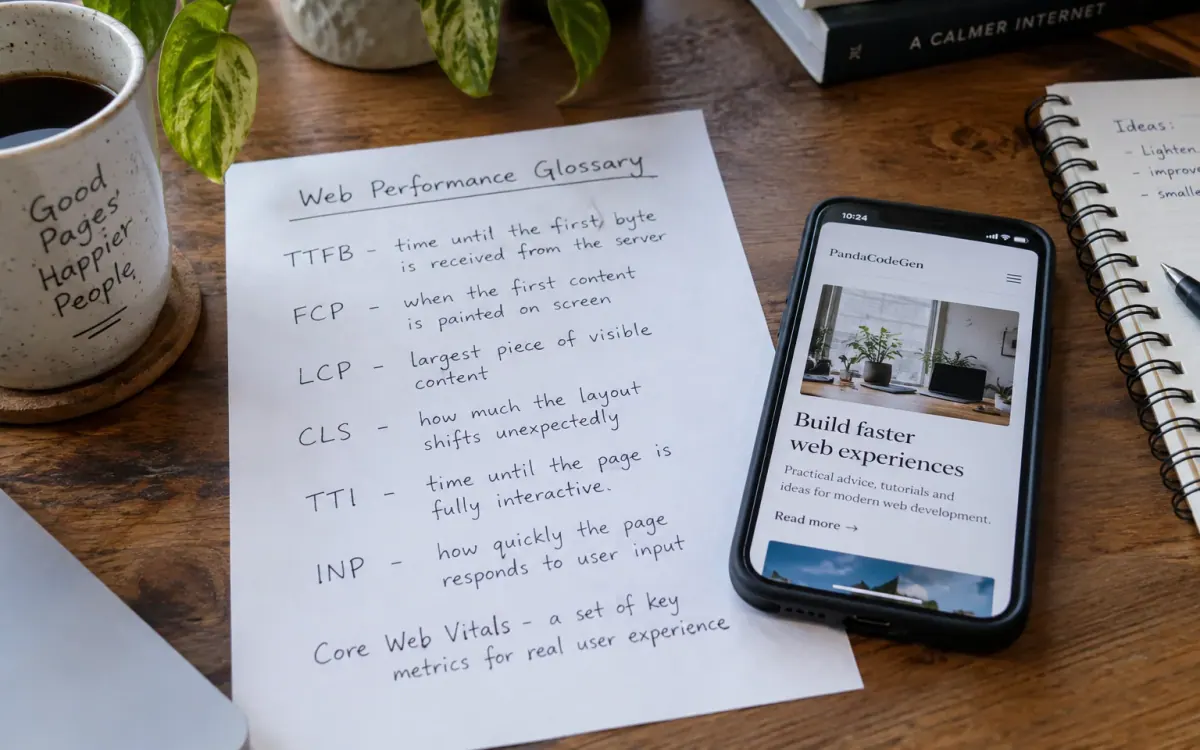
Start with three questions. Can the crawlers that matter actually fetch your important content? Does the page answer a real question, with something to back it up? And do your real-user numbers and your lab numbers both say the experience is decent? Getting those right makes you eligible. It does not guarantee you a ranking or a citation. The sites PandaCodeGen builds to pass these checks start at $1,500 at a fixed price, with no minimum project size, and you own the code.
AI Search & Answer Engines
10 termsAEO (Answer Engine Optimization)
Answer Engine Optimization is writing and structuring a page so an answer engine can find it, read it and quote from it. Google's current guidance says the same search fundamentals still apply to its generative features. OpenAI separately documents access through OAI-SearchBot and referral tagging. Neither vendor promises that an eligible page will be included, ranked, recommended, or cited. Why it matters: your buyer used to scroll ten results and build their own shortlist. Increasingly they ask one question and are handed a shortlist of three, already decided. If your name is not in that paragraph you were never in the running, and you will not see it in your analytics, because there was no click to miss.
Someone types into ChatGPT: “my website looks outdated and loads slow, who can rebuild it without charging me a fortune?” It writes a short answer and names two or three companies. AEO is the work that decides whether your page is one of the sources it pulled that answer from, and whether your name is one it lists.
“Which prompts and engines are we monitoring, on what dates, and how are screenshots and referral data stored?” Treat prompt checks as a dated sample, not a complete market measurement.
GEO (Generative Engine Optimization)
GEO and AEO are overlapping industry labels, not formal standards with one accepted boundary. The shared foundation is useful content, crawl access, clear entities, accurate markup, and measurement. Product-specific controls still differ, so a proposal should name the engines, deliverables, and evidence instead of implying one tactic produces the same result everywhere. Why it matters: mostly so you are not sold the same work twice under two acronyms. There is no separate machine to optimise for.
If you are quoted “AEO” and “GEO” as two separate line items, ask what is technically different between them. If the answer is vague, you are being billed twice for one job.
Query fan-out
Query fan-out breaks one question into several smaller ones, finds sources for each, then writes a single answer. Google describes this technique for its generative Search experiences. It supports a sensible editorial lesson: cover connected user needs when they belong on the page. It does not establish a fixed number of sub-queries or guarantee that broader content will be retrieved or cited. Why it matters: your page is no longer competing for a single query. It is competing to be useful across several hidden ones the buyer never typed, which is why a thin page that answers exactly one thing tends to lose the rest.
A system may expand “why is my website not converting?” into related questions about speed, clarity, trust, mobile usability, and offer fit before composing an answer. The exact expansion is product- and query-dependent.
“Which related user needs does this page answer, and which are outside its scope?” The goal is useful coverage, not manufacturing a fixed number of headings.
RAG (Retrieval-Augmented Generation)
Retrieval-Augmented Generation means the model fetches live material first, then writes its answer grounded in what it found. Search products may use different indexes, partners, ranking systems, and retrieval schedules. Publishing a page can make it eligible for discovery, but not necessarily on the same day and not with a citation. Why it matters: it is the reason you can influence an AI answer at all. If models only recited training data you would be frozen out until the next training run. Because they fetch live, a page you publish can be pulled into an answer while it is still current.
It is why Perplexity can answer a question about something that happened this week. It fetched live pages the moment you asked, rather than reciting only what it memorized back when it was trained.
“Which statements need current sources, and when were those sources last checked?” Recency matters for changing facts, while stable topics may not need frequent rewriting.
AI crawlers (GPTBot, ClaudeBot, PerplexityBot)
The bots that fetch pages for AI products do not all do the same job, obey the same rules, or render a page the same way. OpenAI, for example, distinguishes OAI-SearchBot for search from GPTBot for potential training use. Google Search executes JavaScript, while Google also warns that not every bot can. Because rendering behavior can change and is not uniformly documented, critical public content should be available in the initial or server-rendered HTML and verified with product documentation and logs. Why it matters: they are a real audience now, not a curiosity, and you cannot assume they behave like Googlebot. OpenAI's crawler documentation names each bot and what it is for, but says nothing about whether it renders JavaScript. That silence is the whole problem: you are guessing until you check your own server logs. A site can do perfectly well in Google and still be poorly served to an AI product.
Right-click your homepage and choose “View page source.” That is the raw HTML your server sent, before any JavaScript ran. Compare it with the rendered view in DevTools: anything present in the second but missing from the first is content a crawler only sees if it renders. Your robots rules say who is allowed in, and your server logs say who actually turned up.
“Show me the initial HTML, rendered HTML, access rules, and dated server-log evidence for the crawler we care about.”
Semantic triple
A semantic triple represents a fact as subject, predicate, and object, as in “PandaCodeGen builds custom Next.js websites.” Specific, consistent statements reduce ambiguity for readers and data systems. They still need evidence and current dates where facts change; the triple format itself is not a ranking or citation mechanism. Why it matters: a model tends not to repeat a claim it is unsure about. When your pricing says one thing on your site, another on a directory and something vaguer in a brochure, the model can hedge or name someone whose facts line up instead. Consistency is not pedantry here.
Most About pages read like this: “We are a leading agency delivering excellence in digital solutions.” A model has to interpret that, so it usually skips it. Now this: “PandaCodeGen builds custom Next.js websites. Pricing starts at $1,500. A 90+ Lighthouse acceptance target applies only when included in the accepted project terms, using named pages, mobile and desktop profiles, and three recorded passing runs per agreed page/profile.” Same length, but a model can lift any sentence word for word. That is three clean triples versus zero.
“Are our core facts worded identically on the site, in our structured data, and on our third-party profiles?” Ask them to prove it, not assert it. Contradictions are usually invisible until you go looking.
Speakable
Speakable is Schema.org markup for sections considered especially suitable for text-to-speech. It can identify a CSS selector or XPath, but Schema.org does not describe it as an AI-citation signal. Use it only where it accurately describes visible content; do not treat it as proof of search visibility.
A page can use CSS selectors or XPath values to identify visible sections that are particularly suitable for text-to-speech. The selected content should still make sense in context.
“Which single sentence on this page answers what the visitor came for?” If nobody can point at one, the problem is not the markup, it is that the page never actually answers anything.
Agentic browsing
Agentic browsing is software navigating or acting on a site for a user. In May 2026 Chrome documented an experimental Lighthouse Agentic Browsing category for Chrome 150 or later. It reports a fractional pass ratio and individual checks, not a weighted 0-to-100 score or a search ranking. The current checks emphasize WebMCP, accessibility-tree quality, layout stability, and llms.txt presence. Why it matters: it is the step past being quoted. Being named in an answer is one thing. Being the site an agent can actually complete a booking on is another, and when an agent hits a page it cannot parse it does not ask a human for help.
You tell an AI assistant “book me a table for two on Friday at 8,” and it opens the restaurant's site, fills the form, and confirms the booking itself, no clicks from you. That only works if the site is clean enough for the agent to read and act on.
“Run the experimental Lighthouse Agentic Browsing checks in a supported Chrome version and show each pass, warning, and test condition.”
llms.txt
llms.txt is a proposed Markdown file at a site's root that summarizes selected content. Chrome's experimental Agentic Browsing audit currently checks whether it exists. That does not establish that Google Search, ChatGPT, or another product will use it to rank or cite the site. Implement it only as a small, maintainable discovery aid for named consumers, never as a promised visibility result. Why it matters: less than you have probably been told. Its clearest current use is a different job entirely: developer tools and AI coding assistants reading documentation. Keep one because it costs twenty minutes and does no harm. Do not let anyone sell it as the reason you will get cited.
A documentation site may publish /llms.txt as a concise index for tools that choose to support the convention. Support must be checked tool by tool.
“Which named product consumes this file, according to current documentation or our logs?” Presence alone is not an outcome.
Answer-first writing
Answer-first writing states the main answer early, then adds evidence and nuance. It is a readability technique, not a fixed 40-to-60-word rule. Clear, self-contained passages can be easier for people and machines to interpret, but no copy pattern guarantees extraction or citation. Why it matters: retrieval systems may select individual passages. Put the answer near its question and include enough context for it to stand alone. A later paragraph is not automatically invisible, and no paragraph position guarantees selection.
Vague: “Website speed has become increasingly important.” Clearer: “Measure real-user LCP, INP, and CLS before choosing a speed fix; a Lighthouse score alone is a lab result.”
Does the opening sentence answer the heading accurately, and do the next sentences provide evidence, conditions, and exceptions?
Ask a vendor to map each deliverable to a named problem, source, acceptance check, owner, and maintenance duty. Some items may belong in a migration scope; others may be ongoing content or measurement work. The warning sign is not a separate line item by itself, but a promised ranking or citation result that the deliverable cannot prove. Whoever builds or runs your site should be doing most of this as part of the job. If every piece arrives as its own invoice under its own acronym, you are paying a specialist tax for what should be table stakes.
Rendering & Crawlability
6 termsCSR (Client-Side Rendering)
Client-Side Rendering uses browser JavaScript to create some or all page content after the initial response. Google Search can render JavaScript, but Google still recommends server-side or pre-rendering because it helps users and crawlers, and not all bots can run JavaScript. CSR is therefore a test condition, not proof that a page is invisible or the sole cause of low traffic. Why it matters: it is the failure mode nobody notices, because everyone who checks your site checks it in a browser. You look at it and it is perfect. Your designer looks and it is perfect. What a crawler receives can be a different thing entirely, and only a source view or a log will tell you.
Compare “View page source” with the browser's rendered DOM. If important content appears only after JavaScript runs, test it with the actual search tools and crawlers in scope.
“Is our site server-rendered?” “It's React” is not an answer to that question, React does both. If they cannot say plainly which one you are on, that is your answer.
SSR (Server-Side Rendering)
Server-Side Rendering returns rendered HTML from the server for the requested page. It makes important content available without waiting for client-side rendering and can reduce crawler dependence on JavaScript. It does not by itself guarantee indexing, speed, or accessibility; response time, status codes, markup, hydration, and access rules still matter. Why it matters: it removes a gamble. With client-side rendering you are betting that a crawler comes back, runs your JavaScript and indexes what it finds. With server rendering there is no bet: the content is in the first response, for every visitor and every bot, including the one on a bad phone connection.
If you are on CSR today: “What would it take to server-render our marketing pages?” It is usually not a rebuild. It is a delivery change, and the answer you get will tell you how deep their knowledge actually goes.
- Important content may require JavaScript
- Rendering support varies by crawler
- Errors can hide rendered content
- Initial HTML may be incomplete
- +Important content can arrive in HTML
- +Less dependence on crawler rendering
- +Still requires correct status and markup
- +Still no indexing guarantee
SSG / Static rendering
Static Site Generation pre-builds pages into HTML before a request. It can reduce per-request application work and simplify caching. Actual performance, reliability, and cost still depend on page weight, CDN behavior, traffic, plan limits, third-party scripts, build frequency, and operational requirements. Why it matters: fewer moving parts at the moment someone visits. A pre-built page does not wait on a database or on an application assembling it, so there is less that can break under a traffic spike, which is usually when you can least afford it.
“Are our marketing pages static, or rebuilt from a database on every single visit?” Your About page has not changed in a year. There is no good reason to rebuild it for every visitor.
ISR (Incremental Static Regeneration)
Incremental Static Regeneration lets a Next.js application update pre-rendered content without rebuilding the entire site. Revalidation can be time-based or triggered, depending on the implementation. It is one architecture option among several; cache rules, content freshness, failure behavior, and hosting support must be designed and tested for the project. Why it matters: it retires an old excuse. “We need a database-driven site because our content changes” was a real trade-off once: fast but frozen, or fresh but slow. A page can now update on a schedule and still be served as a pre-built file.
If someone tells you static sites cannot handle frequently-changing content, they are about ten years out of date. Ask them about ISR and see what comes back.
Hydration
Hydration attaches client-side behavior to server-rendered HTML. Heavy JavaScript or long main-thread tasks can delay responsiveness, but hydration is only one possible cause. INP measures observed interaction latency; use its diagnostic data before attributing a poor result to one framework step. Why it matters: it is the gap between looking fast and being fast. A visitor does not care that the page painted in under a second if their first tap does nothing, and that dead beat is exactly what INP measures.
It is why a page can look completely ready but ignore your taps for a beat. The visuals arrived, but the JavaScript that makes the buttons actually work is still catching up.
“What is our INP score?” If the page looks fast but feels sticky when you tap things, heavy hydration is usually the culprit, and it will not show up in a screenshot of a good LCP.
Crawlability
Crawlability is whether an eligible crawler can reach and fetch a URL and access its important content. Robots rules, authentication, server errors, unsupported rendering, and blocked resources can interfere. A noindex directive controls indexing, not fetching; Google must be able to crawl the page to read it. Crawlability is necessary for indexing by a crawler-based system, but it does not guarantee indexing, ranking, or citation. Why it matters: it is the gate before everything else on this page. You can have the best content, the cleanest markup and the fastest scores, and none of it counts if a bot cannot read the page. It is also the cheapest thing to check and the most embarrassing thing to get wrong.
A stray <meta name="robots" content="noindex"> can prevent an affected page from appearing in Google. A shared-template error can affect many pages, which is why production output must be checked.
“Pull our raw HTML and show me our content is actually in it.” And: “When did you last check our robots.txt and for stray noindex tags?” Both take a minute and both have killed real sites.
Structured Data & Entities
3 termsSchema / structured data / JSON-LD
Schema.org structured data describes entities and content in a machine-readable form. Google says supported, accurate markup can make pages eligible for search features, while correct markup still does not guarantee display. Keep it consistent with visible content and current policies. There is no official basis here for promising an AI-citation lift. Why it matters: it earns you the richer-looking search result, which is worth having. What it does not do is buy AI citations, because engines work from the visible content. Keep the basics. Do not let anyone bill schema to you as an AI strategy.
Supported, policy-compliant structured data can make a page eligible for particular Google search features. Eligibility does not mean that Google will display the feature.
“Which supported Google feature is this markup for, does it match visible content, and does it validate?”
Knowledge Graph & entities
A knowledge graph represents entities and their relationships. Publishing consistent, supportable facts can reduce ambiguity, especially when names or roles overlap. A business cannot declare itself entitled to a knowledge panel or AI mention, however; each product decides how it resolves entities and which sources it trusts. Why it matters: it is the difference between a model naming you and a model saying “there are several agencies that may offer this”. One names you. The other names nobody. You earn the first by being consistently, boringly the same everywhere, over time.
Search a well-known company and you get a panel: founded, headquarters, founders, all stated as fact. Search most small businesses and you get a link. The first is an entity. The second is a string of text that happens to be a name.
“Are our name, founders, pricing and claims identical across our site, LinkedIn, and every review profile?” Entity strength is built from boring consistency, not clever tactics. Most agencies never audit it because it is unglamorous work.
E-E-A-T
E-E-A-T refers to experience, expertise, authoritativeness, and trustworthiness in Google's search-quality guidance. Quality raters use the concepts to evaluate results; they are not a public site score or a standalone ranking switch. For publishers, the durable practice is to use accurate bylines, first-hand evidence where relevant, transparent sourcing, and accountable corrections. Why it matters: the first E, Experience, is the one most content fails. It asks something no amount of research answers: have you actually done this? A page about migrating a site written by someone who has migrated sites reads differently and cites differently than one assembled from other people's articles.
Two pages give identical advice. One is by “Admin,” no bio. The other is by a named engineer whose author page shows the projects, with real before-and-after numbers in the post. Same words, completely different weight, to a reader and to a model deciding who to quote.
“Whose name goes on this, and what have they actually done?” If your content is ghost-written by someone with no experience of the work and published under a generic byline, you are buying words that carry no authority.
Web Performance
7 termsCore Web Vitals (LCP, INP, CLS)
Core Web Vitals are LCP for loading, INP for responsiveness, and CLS for visual stability. Google recommends evaluating the 75th percentile separately for mobile and desktop and uses Core Web Vitals in its ranking systems alongside many other signals. Better performance can help users, but revenue, bounce, and ranking effects must be measured on the specific property rather than inferred from the thresholds. Why it matters: each one is a moment where a real buyer gets annoyed and leaves: waiting on a blank screen, tapping a button that does nothing, or tapping the wrong thing because the page moved under them.
CLS is the one you have felt. You go to tap a button, an ad or image loads above it and shoves everything down, and you tap the wrong thing. That jump is a failing Cumulative Layout Shift score.
“What are our 75th-percentile LCP, INP, and CLS for mobile and desktop field data, and what does the lab trace show?” Use both where available for different purposes.
LCP (Largest Contentful Paint)
Largest Contentful Paint measures how long until the biggest thing in the viewport has actually rendered, usually a hero image, video poster or headline block. It measures loading. Google's good threshold is 2.5 seconds or less, assessed at the 75th percentile of real visits. Why it matters: it is the closest metric to the thing a visitor actually experiences as “this site is slow,” because it marks the moment the page stops looking empty.
Usually your hero image. A 4MB photograph served at full resolution and scaled down in CSS will ruin LCP on its own, no matter how well the rest of the page is built.
“What is our 75th-percentile LCP on mobile, from field data?” A lab number from a developer's laptop on office wifi is not an answer to that question.
INP (Interaction to Next Paint)
Interaction to Next Paint measures how long the page takes to visibly respond after someone clicks, taps or types, assessed across the interactions in a visit rather than only the first one. Google's good threshold is 200 milliseconds or less at the 75th percentile. INP replaced First Input Delay as a Core Web Vital in March 2024. Why it matters: it is the metric that catches a site which loads beautifully and then feels dead under the finger, which is the common failure mode of a heavy JavaScript build.
You tap Add to cart and nothing visibly happens for half a second, so you tap it again and end up with two. That gap is INP, and heavy JavaScript is almost always the cause.
“Which interactions are our worst for INP?” It is assessed across a visit, so the answer should name specific controls rather than give one site-wide number.
CLS (Cumulative Layout Shift)
Cumulative Layout Shift measures the largest burst of unexpected layout shifts across the page lifecycle, including after initial load. It measures visual stability, is a unitless score rather than a time, and is usually caused by images, ads or embeds that arrive without reserved space. Google's good threshold is 0.1 or less at the 75th percentile. Why it matters: it is the only Core Web Vital that actively causes mistakes rather than delay, and on a checkout a mistake costs more than a wait.
An image or ad without reserved space loads late and pushes the content down as you reach for a link. You tap the wrong thing. That is CLS, and it is the one every reader has felt without knowing its name.
“Do our images and embeds reserve their space before they load?” Width and height attributes, or an aspect ratio, fix most of this permanently.
PageSpeed & Lighthouse
PageSpeed Insights can show Chrome user-experience field data and a separate Lighthouse lab test. A 90+ Lighthouse performance score can be a lab acceptance target when accepted terms name the pages, profiles, run count, tool version, and test conditions. Field and lab data answer different questions; neither single score proves every real visit has the same experience.
“What is our mobile score right now, and will you put a number in the contract?” Plenty of agencies will promise “fast.” Far fewer will name the pages, name the device profiles, and write the number into the contract as an acceptance condition. That gap tells you something.
TTFB (Time to First Byte)
Time to First Byte measures the interval from a resource request until its first response byte arrives. A slow TTFB adds delay before later loading work can proceed. It does not identify one cause by itself: network path, cache status, edge configuration, database work, application code, and origin capacity can all contribute. Why it matters: it is the number that separates a platform problem from a page problem. Most speed advice is about what happens after the response arrives. If the first byte is slow, compressing images is rearranging furniture while the visitor stares at nothing.
web.dev gives 0.8 seconds or less as a rough “good” TTFB guide for most sites, while stressing that TTFB is contextual and is not itself a Core Web Vital.
“What is our TTFB?” If it is consistently high, no amount of image compression will save you, and anyone selling you image compression as the fix has misdiagnosed the problem.
301 redirect
A 301 is an HTTP permanent redirect from one URL to another. Google treats permanent redirects as strong canonical signals, but a redirect is only one migration control. Preserve equivalent content, update internal links and canonicals, avoid redirect chains, submit updated sitemaps, and monitor indexing and traffic. No migration can promise unchanged rankings. Why it matters: every link anyone ever built to you is attached to a specific URL. Change the URL without a redirect and it points at a 404. This is the most common way a redesign quietly costs a business its traffic, and the owner often does not notice for weeks.
You move a page from yoursite.com/pricing-old to yoursite.com/pricing. A 301 sends visitors to the replacement and gives crawlers a strong signal that the new URL should be canonical.
Before anyone touches your site: “Show me the complete old-URL-to-new-URL redirect map.” Not a promise to handle it. The actual list. This is the single question that separates a safe migration from a disaster.
Not sure which of these your site is failing?
Send us your URL and what you are on now. We will tell you which access, rendering, evidence and performance checks belong in your migration plan, and write down the limits of each test.
Primary references checked October 8, 2026
Product behavior changes. These links support the definitions and limitations above; recheck them before using the glossary in a proposal or audit.
- Google: optimizing for generative AI in Search
- Google: JavaScript SEO basics
- Google: structured-data guidelines
- web.dev: Core Web Vitals
- web.dev: Time to First Byte
- Chrome: experimental Agentic Browsing scoring
- OpenAI: crawlers and bots
- OpenAI: publishers and developers FAQ
- Schema.org: SpeakableSpecification
Questions & answers
Frequently Asked Questions
What is the difference between AEO and GEO?
What is the difference between CSR and SSR?
Does llms.txt actually help SEO or AI visibility?
What are Core Web Vitals?
What is query fan-out in AI search?
Related Articles
How Website Speed Affects SEO: Evidence and Limits in 2026
How Core Web Vitals fit within page experience, how to separate field and lab evidence, and why performance does not map to a fixed ranking or revenue outcome.
Will Migrating My Website Hurt SEO? A 2026 Risk Guide
A site migration can change crawling, indexing and ranking signals. Reduce avoidable risk with a URL inventory, relevant redirects, rendered checks, cutover controls and Search Console monitoring.
ChatGPT Out-Earned Our Google Ads by 6.7x: Six Months of AI Referral Revenue
First-party data from a founder-affiliated store. 760 orders, $271,620.61, and recorded revenue attributed to ChatGPT, Claude, Perplexity, Gemini and Google AI Overview.