PandaCodeGen.

WordPress to Next.js migration

Move from WordPress to Next.js. Keep what works.

Thinking of moving your WordPress site to Next.js? Tell Hassan what the site needs to do. We'll explain what can move as it is, what needs rebuilding, and how your team will edit it after launch. Only need a WordPress site built or fixed? See WordPress websites.

Completed client work / Ladies 4 Jesus
Ladies 4 Jesus community homepage after its WordPress rebuild

A WordPress community site rebuilt for owner-managed publishing and moderated submissions. See the case study ↗

01 / See the work

A new shop. A happy client.

MyCustomPatches moved from an older WordPress store to a custom site. Explore the finished shop and hear from the client about working with Hassan. The changeover had no recorded downtime.

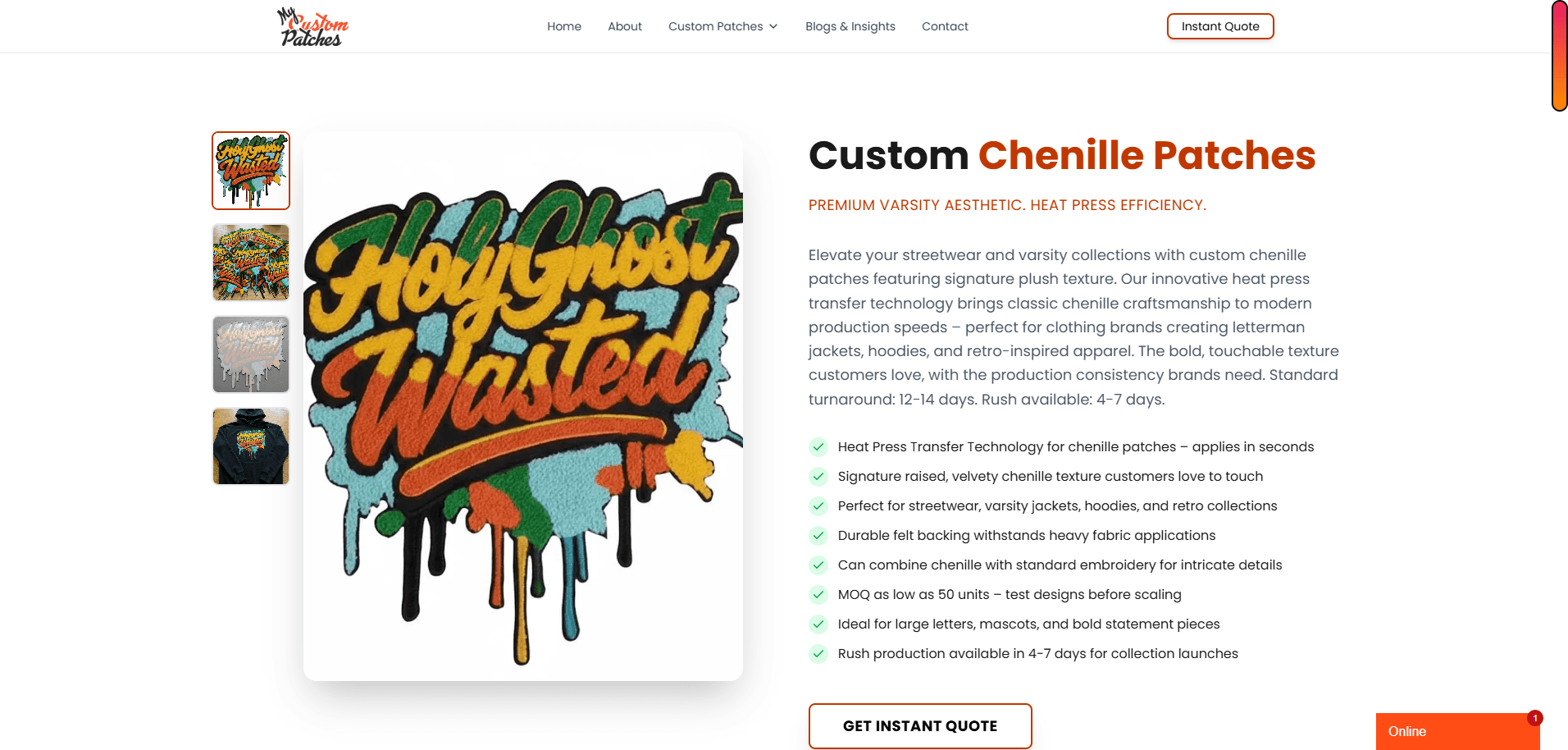
MyCustomPatches product template on the completed site
about 22 daysRecorded delivery
13Distinct templates rebuilt
zeroRecorded downtime at launch
Explore the complete project record ↗

In the client's words

“Hassan was available to me at any time, and his response time was always less than an hour.”

Matt Conner, Executive
Read the verified Clutch review ↗

That delivery time and cutover result describe this project. Your site gets its own written scope and launch plan.

Ladies 4 Jesus / Client review excerpt

“I am so glad I chose to work with them.”

02 / Decide what the site needs

Start. Improve.
Or migrate.

Tell us what is working and what is getting in the way. We will explain the fit and cost of each relevant option before you choose a platform.

01.

Build the WordPress site you need.

Path A / Start

If straightforward pages, forms and editing cover the job, we can build a WordPress site around that scope. You do not need a migration or a custom stack to get a useful site.

Explore WordPress website builds ↗
02.

Fix the part slowing you down.

Path B / Improve

An oversized image, a slow integration or a few unnecessary plugins may call for targeted work. We look at the cause before recommending a rebuild.

Keep WordPress when it still serves the business.

03.

Move when the structure holds you back.

Path C / Migrate

If publishing, checkout or operations depend on fragile plugins and manual handoffs, we can plan a replacement around the workflow you need.

See how the move works ↗

We can document migration controls and measure the new site. Rankings, traffic and recovery timing remain decisions for search engines.

Website SEO / Search and AI access

SEO and AI search after a WordPress migration.

A WordPress-to-Next.js rebuild needs to keep useful content and links understandable. We plan what stays, what changes and how the replacement pages will be checked.

Keep useful addresses and answers
Inventory existing URLs, important content, titles and internal links. Map redirects for addresses that change and compare the agreed pages before launch.
Check the replacement pages
Review readable HTML, canonical addresses, sitemap and indexing settings, and structured data that matches the page. Monitor the agreed launch checks after cutover.

Need ongoing buyer research, page improvements and visibility reporting? AI search services are optional monthly work, scoped separately from the build. Search systems choose which pages they index or cite.

From owners on Reddit

Plugins, quotes and code.

Three lines from one r/nextjs thread, where a WordPress owner asked how to move on. They are Reddit users, not our clients, quoted word for word as checked on 3 October 2026.

For almost a decade I have been “suffering from WordPressitis”, experimenting with various plugins, themes and suspicious developers.
Original poster, r/nextjsRead the thread ↗
I either stumble on an agency charging me 100k for one site, or an UpWork specialist who swears that his templates are the right ones…
Original poster, r/nextjsRead the thread ↗
Next absolutely can do just about anything you want, but nearly everything you want will need to be custom coded.
corey_brown, r/nextjsRead the thread ↗

03 / What you pay today

Add up what
the site costs.

Hosting, plugin licences and maintenance usually arrive as separate bills, and few owners have added them up. That total is what any change has to beat, so it's the figure we quote against.

Hosting

Your host's invoice

Plugin and theme licences

Renewal emails

Security and backup tools

Card statement

Maintenance retainer

Your agency or developer

Fixes and downtime

Your own records

What changes after a rebuild

Keeping and improving WordPress keeps these lines. A move to a custom build removes the plugin licences and plugin updates, but not hosting: a commercial Next.js site on Vercel's Pro plan starts at $20 a month (platform fee including one deploying seat and $20 a month of usage credit; added seats and usage beyond the credit are extra), and dependency updates take the place of plugin updates.

04 / The move

A move with
a plan.

Before we build, you see what happens to your content, links and connected tools. The plan also names the launch checks, who approves the site and how we return to the previous version if needed.

01

Find what needs to move

We inventory the pages, posts, images, forms, search metadata, connected tools and important URLs. The list tells us what can move directly and what needs rebuilding.

02

Build while the current site stays live

The replacement takes shape on staging. Your team reviews its content, editing workflow and key journeys before we change the public site.

03

Test every agreed path

We check the URL map, changed-address redirects, internal links, forms, analytics and representative pages against the accepted scope.

04

Switch over, then watch

The launch plan assigns cutover, monitoring and rollback responsibilities. We inspect live behaviour and Search Console after the switch; search outcomes remain outside any agency's control.

05 / Starting price

$1,500

Starter scope, up to 7 pages. More content or integrations change the quote.

Know the scope.
Own the result.

Your quote names the pages, content responsibilities, redirects, checks, ownership and third-party costs. You know the price and dates before work begins.

Explore all starting scopes ↗
01 / Written scope

The inventory, deliverables and exclusions are named.

02 / Handover check

A 90+ Lighthouse handover target on mobile and desktop for the representative pages named in the written scope, verified across three recorded runs before handover. It is a lab acceptance target, not a ranking, traffic, or revenue promise. Field data in the Chrome User Experience Report is measured from real visitors over 28 days and depends on their devices, networks and anything added after handover, so it is measured with the client rather than promised.

03 / Your control

You receive the project code and design files we create for you, plus documentation and control of the production accounts. If you then take a monthly support or care plan, that doesn't change: we keep sharing the code, documentation and accounts with you, so you always have your own copy. Third-party themes, plugins, services and assets remain under their own licence terms.

06 / Ownership & exports

What can you keep when you move from WordPress?

Moving from WordPress means deciding what to keep, rebuild or replace. A content export can carry pages and posts, while a full backup includes more of the existing site. Your new website also needs a plan for photos, forms, important page addresses and the tools your business uses.

Your project handover

You receive the project code and design files we create for you, plus documentation and control of the production accounts. If you then take a monthly support or care plan, that doesn't change: we keep sharing the code, documentation and accounts with you, so you always have your own copy. Third-party themes, plugins, services and assets remain under their own licence terms.

Can I keep my pages and blog posts when I leave WordPress?

Yes. WordPress can download pages, posts and related content in a file for importing elsewhere. That file is not the whole website: design, plugins and uploaded files need separate attention. PandaCodeGen reviews those parts before agreeing the migration scope, including which features to rebuild and how to check the moved content.

Will I lose my Google rankings if I move my website?

Google rankings can fluctuate during a significant website move. Keeping important content and page addresses, mapping any changed addresses and testing redirects helps reduce avoidable problems. Google still controls crawling and ranking. PandaCodeGen agrees the migration checks and monitoring in the scope; a redesign or platform change does not guarantee unchanged traffic.

Website assets

ExportsPartlyStays on the platform

Read each row for the scope and source.

Website assets, platform export options and PandaCodeGen handover terms
Website assetsWordPress.comSelf-hosted WordPressYour PandaCodeGen build
Website design and filesPartly

The standard export leaves out the theme, design changes and plugins. A full backup download with themes, plugins and the database is on Business and Commerce plans.

WordPress.com docs on WordPress.com, website design and files (opens in a new tab) ↗Second source on WordPress.com, website design and files (opens in a new tab) ↗
Exports

The whole site, with its theme, plugins, files and database, can be copied to another host without reinstalling.

Self-hosted WordPress docs on Self-hosted WordPress, website design and files (opens in a new tab) ↗
Yours

You receive the website code and design files we create for you. Custom builds use the open-source Next.js framework. Third-party themes, plugins and services keep their own licence terms.

Next.js licence on website design and files (opens in a new tab) ↗
Website pagesExports

Tools, Export downloads an content file with your pages, posts, comments, categories and tags.

WordPress.com docs on WordPress.com, website pages (opens in a new tab) ↗
Exports

The built-in content download includes pages, posts, other content types, comments, extra fields and user records. This is a content file, not a full site backup.

Self-hosted WordPress docs on Self-hosted WordPress, website pages (opens in a new tab) ↗
Yours

With Sanity, your page content and available uploaded files can be downloaded together. Missing or inaccessible files need separate recovery. WordPress builds use WordPress's content download; text built into the website files comes with those files.

Sanity export docs on website pages (opens in a new tab) ↗
Blog postsExports

Posts, with their categories and tags, are in the same content file.

WordPress.com docs on WordPress.com, blog posts (opens in a new tab) ↗
Exports

Posts, categories and tags are in the same content download.

Self-hosted WordPress docs on Self-hosted WordPress, blog posts (opens in a new tab) ↗
Yours

Blog posts are in the same content export as your pages.

Sanity export docs on blog posts (opens in a new tab) ↗
Editable lists and business details

Not covered by the WordPress.com pages we checked.

Exports

Other content types and extra business fields are included in the same content download.

Self-hosted WordPress docs on Self-hosted WordPress, editable lists and business details (opens in a new tab) ↗
Yours

Lists such as services, team members and locations are included in the content download. Sanity's terms say the subscriber keeps ownership of that data.

Sanity terms on editable lists and business details (opens in a new tab) ↗
Images and filesExports

The content download holds links, not the image files themselves. The media library downloads separately, and how depends on your plan and whether the site has plugins.

WordPress.com docs on WordPress.com, images and files (opens in a new tab) ↗
Exports

Images and uploads are files on your own host, backed up and moved with the rest of the site.

Self-hosted WordPress docs on Self-hosted WordPress, images and files (opens in a new tab) ↗
Yours

Available images and files uploaded to Sanity come with the content download. Check the download for missing files. Images built into the design are part of the website files you receive.

Sanity export docs on images and files (opens in a new tab) ↗
Website address (domain)Exports

You can unlock the domain and get a transfer code, but not within 60 days of registering or transferring it.

WordPress.com docs on WordPress.com, website address (domain) (opens in a new tab) ↗

Not covered by the Self-hosted WordPress pages we checked.

Control of the production accounts is part of handover. Hosting moves to your own account on request or when an engagement ends.

Also included at handover

  • Code and design files

    The project code and design files we create for you.

  • Written instructions

    Instructions handed over with the project files. If you take a care plan later, we keep sharing the documentation with you.

  • Training on your editor

    An editing walkthrough at handover, so your team can update the site. Every build that uses Sanity includes training on Sanity Studio and written documentation for it. On Starter, the content editor is set up, documented, and we train you on it.

  • Your accounts

    Control of the production accounts. Hosting moves to your own account on request or when an engagement ends.

  • No required care plan

    Your build keeps working without a PandaCodeGen care plan. Hosting and other provider services still need their own arrangements.

Licence notes, from the same check:

Vendor columns describe each platform's own documented tools, read on 8 October 2026. Plans and export tools change, so check the linked page before you rely on a row. Our column comes from our published terms; your written proposal states the details for your project, including any third-party licences.

07 / Before you decide

Questions worth asking.

We answer these against your real website and put the project-specific answers into the quote.

Is moving WordPress to Next.js the same as changing hosts?
No. A host-to-host move keeps the WordPress software, theme and plugins. PandaCodeGen's WordPress-to-Next.js service rebuilds the website on a different framework and agrees how content, editing, URLs and features will work. We explain the rebuild price and ongoing costs before you choose; changing platforms is not necessary just because a host needs replacing.
Can Google and AI search read my website after a WordPress migration?
We check the replacement pages, preserve useful addresses or map redirects, and compare the agreed content before launch. These controls reduce avoidable access problems; search systems still decide rankings and citations. Ongoing monitoring and research are scoped separately.
Will every old address keep working?
The inventory identifies addresses in scope. We preserve them where possible and map changed addresses to relevant destinations. Redirects reduce avoidable loss; search engines still control indexing and rankings.
Should we repair WordPress or migrate?
We review what is making the current site hard to run. If a focused fix meets your needs, we can scope that work. If publishing, checkout or connected tools need a different structure, we plan a migration. You see the recommendation and cost before deciding.
What if I just need a simple WordPress site?
That may be the right fit. Tell us which pages and editing tools you need. We can discuss a straightforward WordPress setup and scope it if it meets your needs. We explain the cost and tradeoffs of another build only when it is relevant.
What moves in a WordPress to Next.js migration?
We inventory the pages, posts, images, search metadata, URLs, forms and connected tools in scope. Content can be transferred, but WordPress themes and plugins do not become Next.js features automatically. We agree which features will be rebuilt, replaced or kept before quoting. Store products, customer accounts and order history need their own transfer plan.
Can my team edit the new site?
Yes. We agree the fields and workflows your team will control, then provide written instructions and a live editing demo. We choose the content system with you; that can mean a new editor or keeping WordPress for publishing where it fits. New templates and features are scoped separately.
How long does a WordPress migration take?
Our published planning ranges are 1 to 2 weeks for Starter, 2 to 4 weeks for Growth and 3 to 6 weeks for Scale. Content volume, store data, integrations and approvals determine the dates in your proposal. Your current site stays live during the build; the launch window and fallback plan are agreed separately.
How much does a WordPress migration cost?
The published starting points are Starter at $1,500, Growth at $3,500 and Scale at $5,000. The inventory determines the right scope; your proposal sets the final price, third-party charges and delivery dates.