PandaCodeGen.

PandaCodeGen / Wix website design, redesign & migration

Wix website design. Redesign or move.

Need a Wix website redesign, a clearer mobile layout or forms that work with your business? We can build or improve the current site, or plan a custom website with a Sanity editor if you have outgrown the setup.

From the work archive
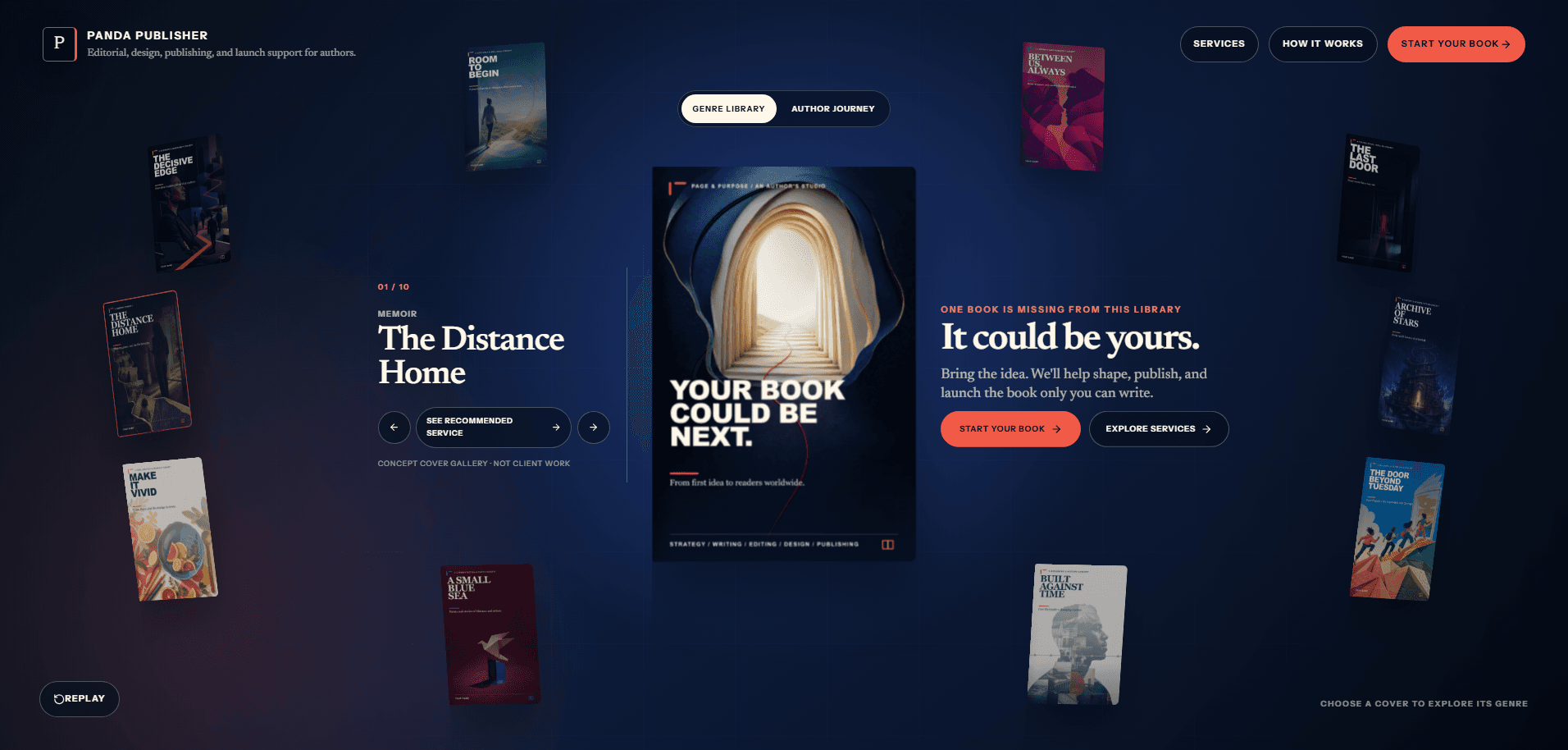
Panda Publisher custom publishing website
Related publishing work / not a Wix migration

01 / See the work

What editor freedom can look like.

This is relevant content and workflow work. We have not presented it as a Wix migration.

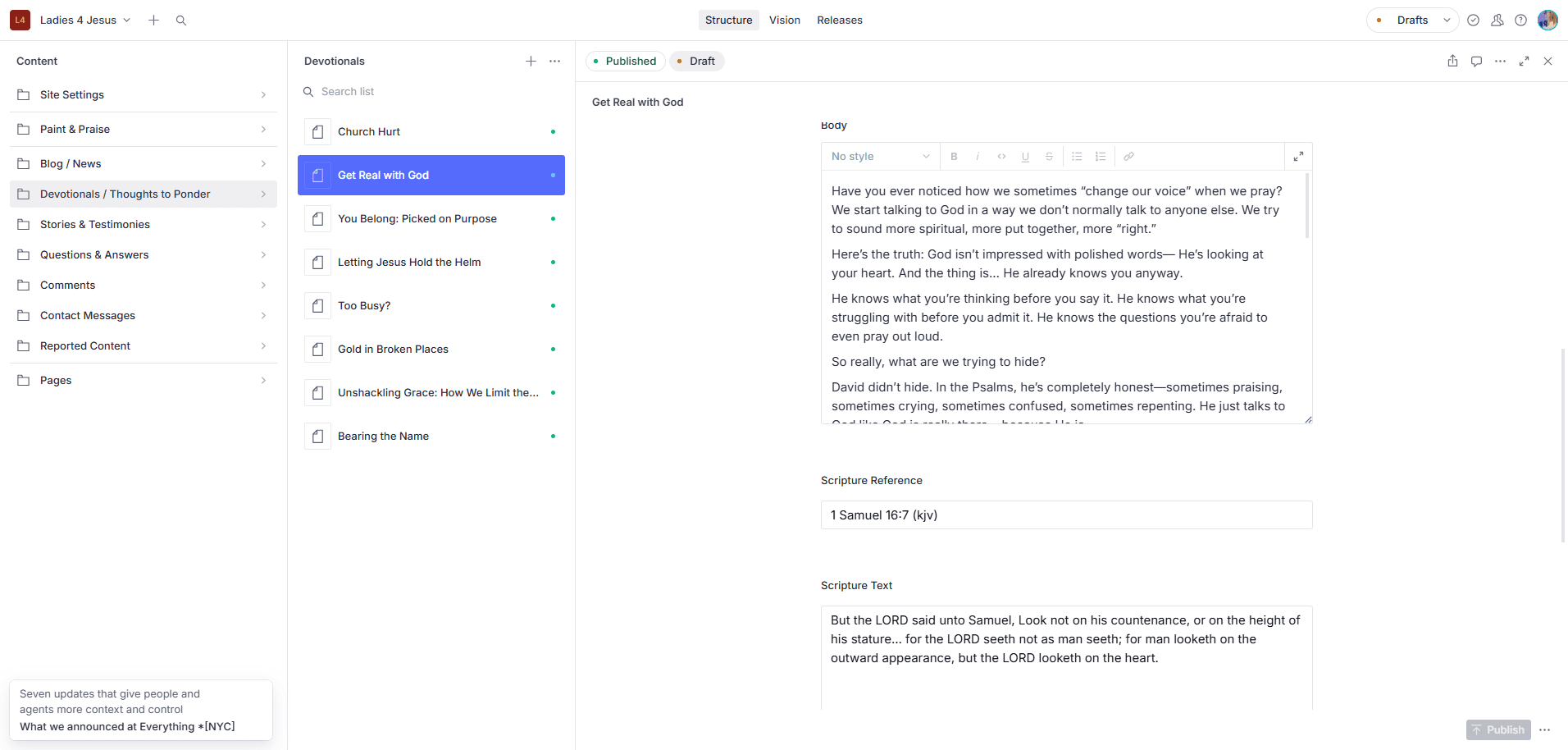
Content editor for the Ladies 4 Jesus site

Project / Ladies 4 Jesus

A publishing and moderation workflow that lets the owner manage content without a developer.

Explore Ladies 4 Jesus ↗
  1. Choose a page or post
  2. Edit your content
  3. Publish your changes

The client originally used WordPress. Wix export limits and connected apps need a separate assessment for your site.

The client, in their own words

“I was hesitant to use them at first because the price seemed more than reasonable and I had never heard of them but I am so glad I chose to work with them.”
Etoy McDanielTrustpilot · August 2026Read the source ↗

02 / Review your site

Outdated design, slow pages or awkward mobile layouts?

We review the pages, mobile experience, enquiries and editing tasks before recommending a Wix redesign or platform move. The quote names the changes and connected apps involved.

01 / Review

Pages and content

Which pages, articles, images and forms must carry across?

02 / Review

Editing

What should your team be able to change without a developer?

03 / Review

Connected tools

List Wix Bookings, Stores, Members Area, payments, CRM and email tools you use. For each, agree whether to keep the connection, replace it or rebuild the required behaviour.

04 / Review

Search addresses

Record existing URLs and metadata, then plan relevant destinations if they change.

What the proposal resolves

What your Wix redesign or migration covers.

A Wix migration starts with an inventory. The account's available exports and apps determine the manual work.

01

Content and design

List pages, posts, media, CMS collections and the layouts that should stay. Review the export available from your account, then name any content or design that needs rebuilding by hand.

02

Bookings, stores and members

A Wix app is a working service, not just a page. Record its data, payments, messages and access rules. Decide whether each workflow stays connected, moves to another provider or needs rebuilding.

03

Forms, domain and search

Test where enquiries arrive, map changed URLs to appropriate destinations, and plan domain, analytics and Search Console checks. The old site remains available while the replacement is reviewed; the launch window and fallback are agreed in writing.

04

Your new editor

Show your team how to update the business details, images, posts and repeating content included in scope. State which new layouts or functions would require development.

Website SEO / Search and AI access

Wix SEO and AI search access.

You do not need to leave Wix simply to address missing page titles, unclear content or indexing settings. We check what can be improved on the current website first.

Use the page settings
Review the titles, headings, descriptions and indexing controls available for your pages. Check that service information and answers appear as readable text.
Keep the redesign connected
Review navigation, internal links and changed addresses. If you choose a platform move, the scope maps content and redirects before cutover.

Need ongoing buyer research, page improvements and visibility reporting? AI search services are optional monthly work, scoped separately from the build. Search systems choose which pages they index or cite.

03 / Make the right call

Choose the right amount of change.

We recommend the scope that addresses the evidence from your site and team, then put the work and boundaries in writing.

Path 1 / Improve

Stay on Wix

Fix a limited issue in the current site when it still supports the business.

Path 2 / Move

Move Wix content to a custom website

Replace the site when the content model, design or integrations justify it.

04 / From call to handover

Build, test
and hand over.

Each stage creates something you can review. Your proposal names the deliverables and the point where you accept them.

01

Inventory the site

List pages, content, URLs, forms and integrations.

02

Design the new editor

Agree the fields your team will own and the templates they will publish.

03

Build and compare

Review content and journeys on staging against the source site.

04

Launch and check

Test redirects, forms, analytics and live pages after cutover.

05 / Published starting point

From $1,500

Starting point, not an instant quote.

Wix redesign and migration cost.

A focused site starts at Starter; fuller content migration and redirect mapping often call for Growth. Access and export constraints affect the final written quote.

See pricing ↗
Content

Pages and records included in the move.

Editor

Fields and publishing tasks your team controls.

Cutover

URL map, form checks and launch responsibilities.

After launch

What a Wix site costs to run.

The build is a one-off. These are the bills that continue, so add them up before you compare quotes.

Wix plan

Your Wix billing page

Apps from the Wix App Market

Each app's billing

Domain and business email

Renewal emails

Help and changes

Your own records or your designer's invoices

That total is what any change has to beat, so it's the figure we quote against.

06 / Ownership & exports

What can you take when you leave Wix?

Leaving Wix usually means rebuilding the website, because Wix does not offer a complete site download that runs on another host. Some business records and uploaded files can be downloaded separately. Your website address is another account to check. The table separates the design, content and records you may want to keep.

Your project handover

You receive the project code and design files we create for you, plus documentation and control of the production accounts. If you then take a monthly support or care plan, that doesn't change: we keep sharing the code, documentation and accounts with you, so you always have your own copy. Third-party themes, plugins, services and assets remain under their own licence terms.

Can I keep my website address if I leave Wix?

Yes, if you control the domain and keep it registered. Wix says a domain registered with Wix can point to another website, or move to another registrar when transfer rules allow. Moving the registration is different from rebuilding the site. Check business email settings as part of the change, before cancelling services.

Website assets

ExportsPartlyStays on the platform

Read each row for the scope and source.

Website assets, platform export options and PandaCodeGen handover terms
Website assetsWixYour PandaCodeGen build
Website design and filesStays

The site can't be exported to run on another host. Wix says it has to be hosted and run on Wix's servers.

Wix docs on Wix, website design and files (opens in a new tab) ↗
Yours

You receive the website code and design files we create for you. Custom builds use the open-source Next.js framework. Third-party themes, plugins and services keep their own licence terms.

Next.js licence on website design and files (opens in a new tab) ↗
Website pagesPartly

There's no page export. Wix's translation tool can export site text to a spreadsheet once the Multilingual app is set up; the layout doesn't come with it.

Wix docs on Wix, website pages (opens in a new tab) ↗
Yours

With Sanity, your page content and available uploaded files can be downloaded together. Missing or inaccessible files need separate recovery. WordPress builds use WordPress's content download; text built into the website files comes with those files.

Sanity export docs on website pages (opens in a new tab) ↗
Blog postsStays

Wix says blog posts can't be exported to other platforms. It's listed as a feature request.

Wix docs on Wix, blog posts (opens in a new tab) ↗
Yours

Blog posts are in the same content export as your pages.

Sanity export docs on blog posts (opens in a new tab) ↗
Editable lists and business detailsExports

Each editable content list exports to a spreadsheet file.

Wix docs on Wix, editable lists and business details (opens in a new tab) ↗
Yours

Lists such as services, team members and locations are included in the content download. Sanity's terms say the subscriber keeps ownership of that data.

Sanity terms on editable lists and business details (opens in a new tab) ↗
ProductsExports

Physical products export to a spreadsheet file, up to 5,000 rows per file. Digital products can't be exported yet.

Wix docs on Wix, products (opens in a new tab) ↗

Kept in the store system or database your proposal names, under accounts you control, so you can export it from there. If a new storefront keeps Shopify or WooCommerce behind it, that platform's column still applies.

Customers and contactsExports

Contacts export to a spreadsheet file, up to 50,000 at a time.

Wix docs on Wix, customers and contacts (opens in a new tab) ↗

In the same store system or database as your products, under accounts you control.

Past ordersExports

Orders export to a spreadsheet file for Wix Stores, Bookings, Restaurants and Donations.

Wix docs on Wix, past orders (opens in a new tab) ↗

In the same store system or database as your products, under accounts you control.

Images and filesPartly

Files you uploaded download from the Media Manager, folder by folder. Free Wix and Shutterstock media can't be downloaded.

Wix docs on Wix, images and files (opens in a new tab) ↗
Yours

Available images and files uploaded to Sanity come with the content download. Check the download for missing files. Images built into the design are part of the website files you receive.

Sanity export docs on images and files (opens in a new tab) ↗
Website address (domain)Exports

A domain bought from Wix can move to another registrar, but not within 60 days of purchase.

Wix docs on Wix, website address (domain) (opens in a new tab) ↗

Control of the production accounts is part of handover. Hosting moves to your own account on request or when an engagement ends.

Also included at handover

  • Code and design files

    The project code and design files we create for you.

  • Written instructions

    Instructions handed over with the project files. If you take a care plan later, we keep sharing the documentation with you.

  • Training on your editor

    An editing walkthrough at handover, so your team can update the site. Every build that uses Sanity includes training on Sanity Studio and written documentation for it. On Starter, the content editor is set up, documented, and we train you on it.

  • Your accounts

    Control of the production accounts. Hosting moves to your own account on request or when an engagement ends.

  • No required care plan

    Your build keeps working without a PandaCodeGen care plan. Hosting and other provider services still need their own arrangements.

Licence notes, from the same check:

Vendor columns describe each platform's own documented tools, read on 8 October 2026. Plans and export tools change, so check the linked page before you rely on a row. Our column comes from our published terms; your written proposal states the details for your project, including any third-party licences.

07 / Before you decide

Questions people ask.

These are starting answers. Project-specific details belong in the written proposal.

Can you redesign my Wix website without moving platforms?
Yes. We can scope a Wix redesign around the pages, mobile layout, content and forms you need while keeping the platform. We check the editor and connected Wix apps before pricing the work. If a required workflow cannot be supported in that setup, we explain the alternative and its costs before you decide.
Can you improve Wix SEO and AI search access without moving platforms?
Yes, where the changes fit Wix's tools. We assess the agreed pages and available search settings, then quote improvements on Wix. A platform move is a separate decision with content and redirect planning. Monthly research and reporting are optional.
What happens to Wix content and apps when we migrate?
We list pages, blog posts, media, CMS collections, contacts, products and orders where relevant, then check the export options available in your account. Wix Bookings, Stores, Members Area and other apps each get a keep, replace or rebuild decision. The quote names manual content work and replacement features, with old URLs mapped to their destination.
Will we lose our search rankings if we leave Wix?
No supplier can guarantee rankings. We inventory current addresses, preserve suitable URLs, redirect changed ones and check metadata, forms and Search Console around launch. Search engines decide the outcome.
Can we still edit the website?
Yes. The proposed editor lists the text, images, business details and collection items your team can change. We demonstrate the agreed workflow and train your editors at handover.
How long does a Wix move take?
The published planning ranges are 1 to 2 weeks for Starter, 2 to 4 for Growth and 3 to 6 for Scale. Content, apps, approvals and export limits set the actual dates in your proposal.
What happens to Wix Bookings, Stores and Members Area?
Each is more than a visual page. We inventory the appointments, products, orders, customer access and notifications your business uses, then agree whether to keep the service connected, replace it or rebuild the required behaviour. The quote identifies data exports and manual work.
Does our Wix site stay available while you build?
The replacement is reviewed separately before the domain is switched. We agree the launch window, the old account's access and a fallback plan in writing; the exact cutover depends on your domain and connected services.

Keep exploring

All services ↗