Custom websites / Quotes instead of checkout
Product Catalog Website Without a Cart: Take Quote Requests
If you sell custom or made-to-order products, your website needs a catalog and a quote form, not a shopping cart. How we build one from a single product list, with a free example you can download.
By Hassan Jamal, Co-founder and Lead Engineer
Published ·UpdatedIf your prices depend on size, quantity or artwork, you don't need a shopping cart. You need a product catalog that ends in a quote form, so each enquiry arrives with the product already filled in. That's how we built Emblematic Studio, a catalog of 22 custom product types where visitors ask for a quote instead of checking out.
Why a quote form suits custom products better than a cart
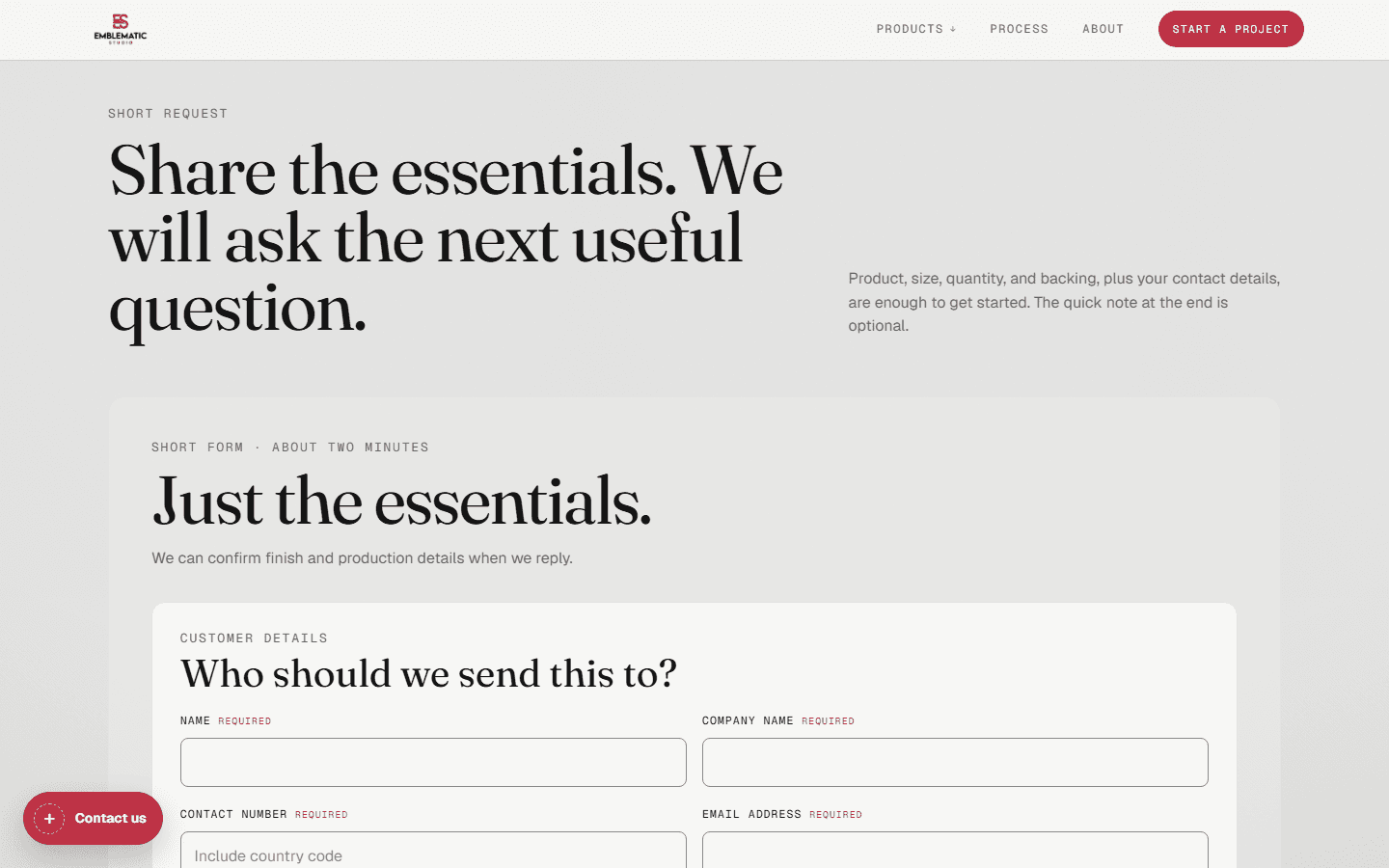
A cart needs a fixed price for every option. When the price depends on the job, a cart either shows the wrong price or sends the buyer to the phone anyway. A quote form asks only for what you need to price the job and sends it to you in one email. Emblematic Studio's form asks for the product, size, quantity and backing, plus contact details. Visitors can attach artwork, which is checked for type and size, emailed to the studio and never stored on the site. If you don't take payment online, you also don't need a store platform's checkout or its monthly plan.
One product list for the whole site
On Emblematic Studio, the same 22 products appear in seven places: the desktop menu, the mobile menu, the catalog page, each product page, the related-product cards, the quote form's product list and the sitemap. If each place keeps its own copy, they drift apart without anyone noticing: a product goes missing from the quote form, or the sitemap lists a page you deleted. So the site keeps one typed product list, and all seven read from it. Adding a product means adding one entry.
Download a free example
We wrote a small example of the same idea for anyone who wants to try it. It isn't Emblematic Studio's code and holds no client data. It's four made-up products and a script that checks them, then builds the menu links, quote options and sitemap from that one list.
- Download catalog.mjs: the sample products, the checks and the outputs.
- Download catalog.test.mjs: tests for hidden products, duplicate addresses and broken links between products.
- MIT license: you can change and share the example freely.
Save both JavaScript files in one folder. With Node.js 22 or later installed, run:
node catalog.mjs
node --test catalog.test.mjs
The first command prints the generated menu links, quote options and sitemap. It doesn't write any files or connect to the internet. The second runs the tests.
What one product record looks like
{
  slug: "woven-labels",
  name: "Woven labels",
  published: true,
  quoteable: true,
  related: ["printed-labels"]
}| Output | Result | Rule |
|---|---|---|
| Product pages | 3 page addresses | Published products only. |
| Menu links | 3 links | The same published products. |
| Quote form options | 2 options | Published products that take quote requests. |
| Sitemap | 3 URLs | Full product URLs on your domain. |
| The unpublished prototype | Left out everywhere | Links to it from other products drop out too. |
The script stops with an error if two products share a slug or a related product doesn't exist, so the mistake shows up before the site is built, not after a customer finds it.
Try breaking it
Copy the first product and paste it again without changing its slug: the script reports a duplicate. Change a related slug to one that doesn't exist: it reports the missing product. Set a product's published flag to false: its page address, menu link, quote option and incoming related links all drop out together.
The flag can't hide a page that's already live by itself. Your website has to apply the same rule when it serves pages, and a retired product should redirect to a similar one or return a "gone" page. Leaving a page out of the sitemap doesn't remove it from Google either.
When should products move into an editor?
A product list in code works when a developer adds products a few times a year. If your staff change products every week, put the list in an editor like Sanity so they can do it themselves, and keep the same rule: one list, and every part of the site reads from it. If you need stock levels, online payment or shipping rates, you need a store. Our ecommerce development service covers that.
For a catalog site with a quote form, start with custom website development. If your staff will edit the products, see our Sanity CMS service.
Common questions
Can I have a product catalog website without a shopping cart?
Should every product catalog live in code?
Is the downloadable example client code?
Related Articles
Custom Website Starting at $5,000: Scope Guide (2026)
How PandaCodeGen scopes its Scale tier, including migration, performance, support, payment, ownership, exclusions, and change control.
AI-Built Website Checklist: 8 Checks Before Launch and After Changes
Check enquiries, payments, mobile use and search access on your AI-built website. Eight practical checks, evidence to save and when to repeat them.
How Long Does a Custom Website Take? A 2026 Schedule Guide
Build a defensible schedule from inventory, content, design, integrations, review, QA and cutover instead of a universal timeline.
PandaCodeGen offers website and application development. Recommendations here reflect our delivery approach; the proposal for your project defines its scope. How we use evidence.