PandaCodeGen.

PandaCodeGen / Backend development for portals, CRMs & internal tools

Backend development services. Customer logins, data and workflows.

Backend development for customer logins, private uploads, business records and connected tools. We usually build on Supabase, or work with your existing database and APIs. The quote names the data, access rules, integrations and admin screens your application needs.

From the work archive
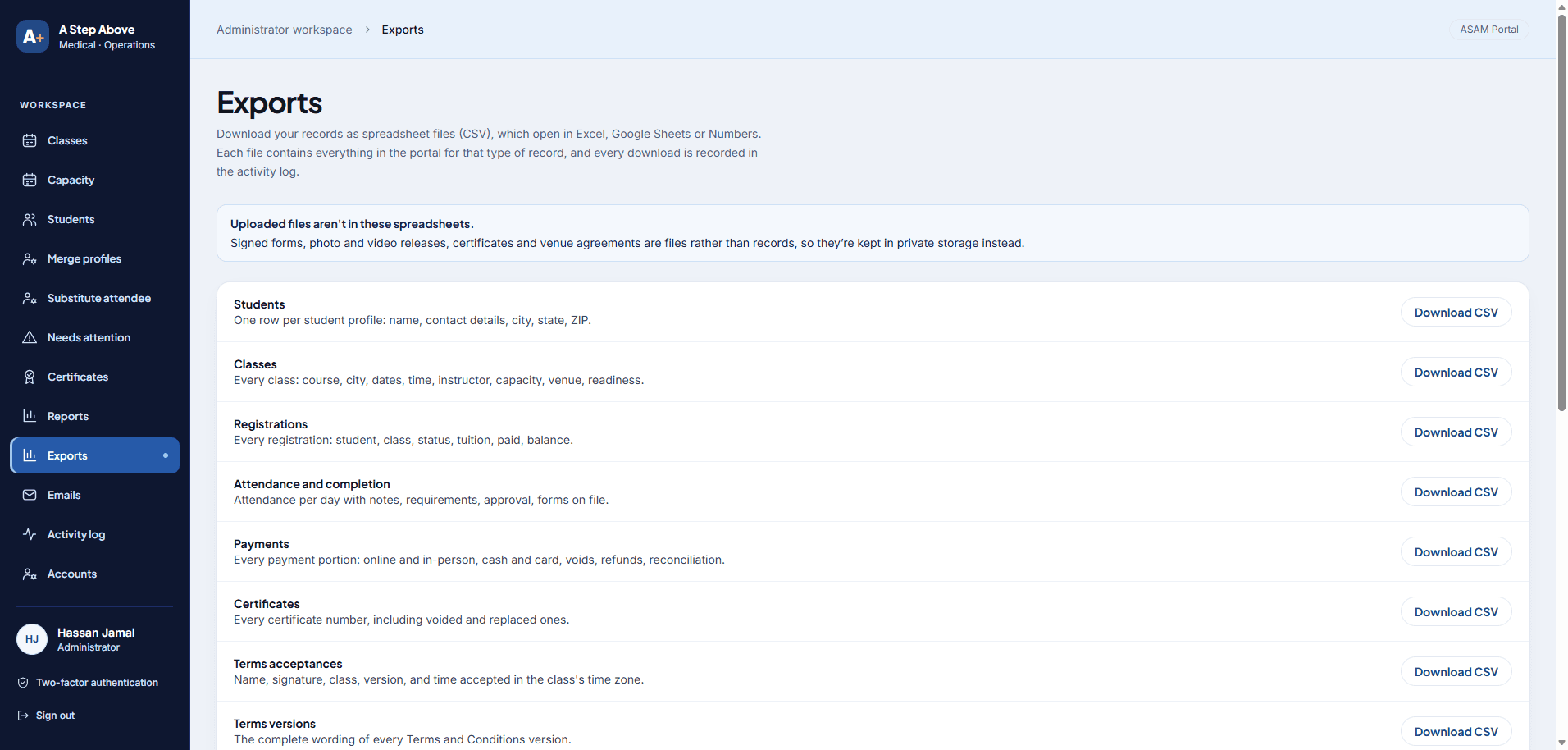
A Step Above Medical portal export workflow
Portal workflow / A Step Above Medical / Pre-launch capture

01 / See the work

The backend behind an operations app.

Our Panda Patches operations case explains how the application connects staff tasks, records and permissions. It provides concrete implementation evidence for this service.

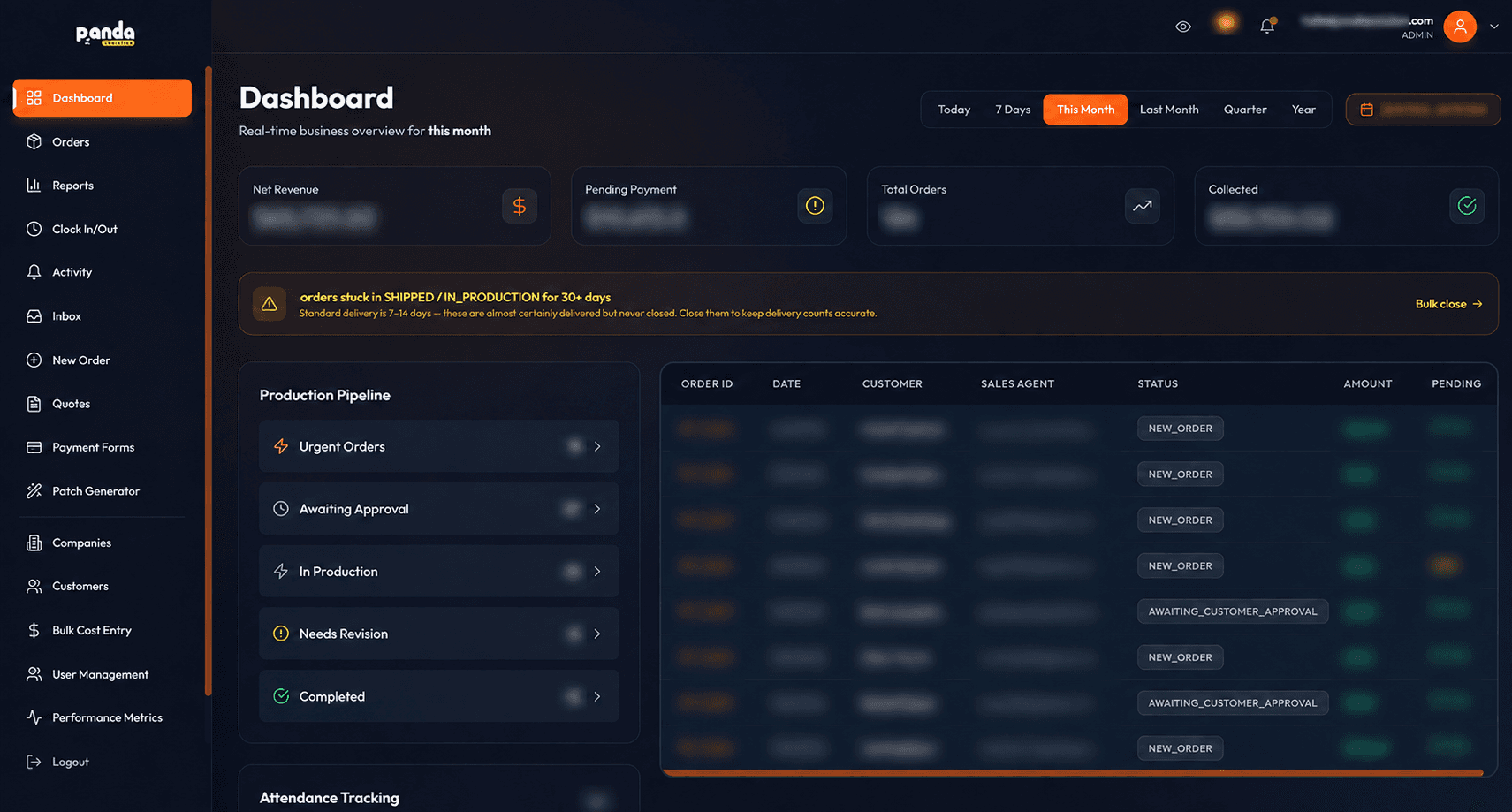
Custom CRM dashboard with sensitive business details obscured

Project / Panda Patches CRM

A React application backed by Supabase supports orders, production, payments and reporting. The case covers roles and access controls as well as the screens.

Explore Panda Patches CRM ↗

Founder-affiliated production system. Its frontend uses React and Vite; it is not a Next.js client case. Sensitive business details are obscured.

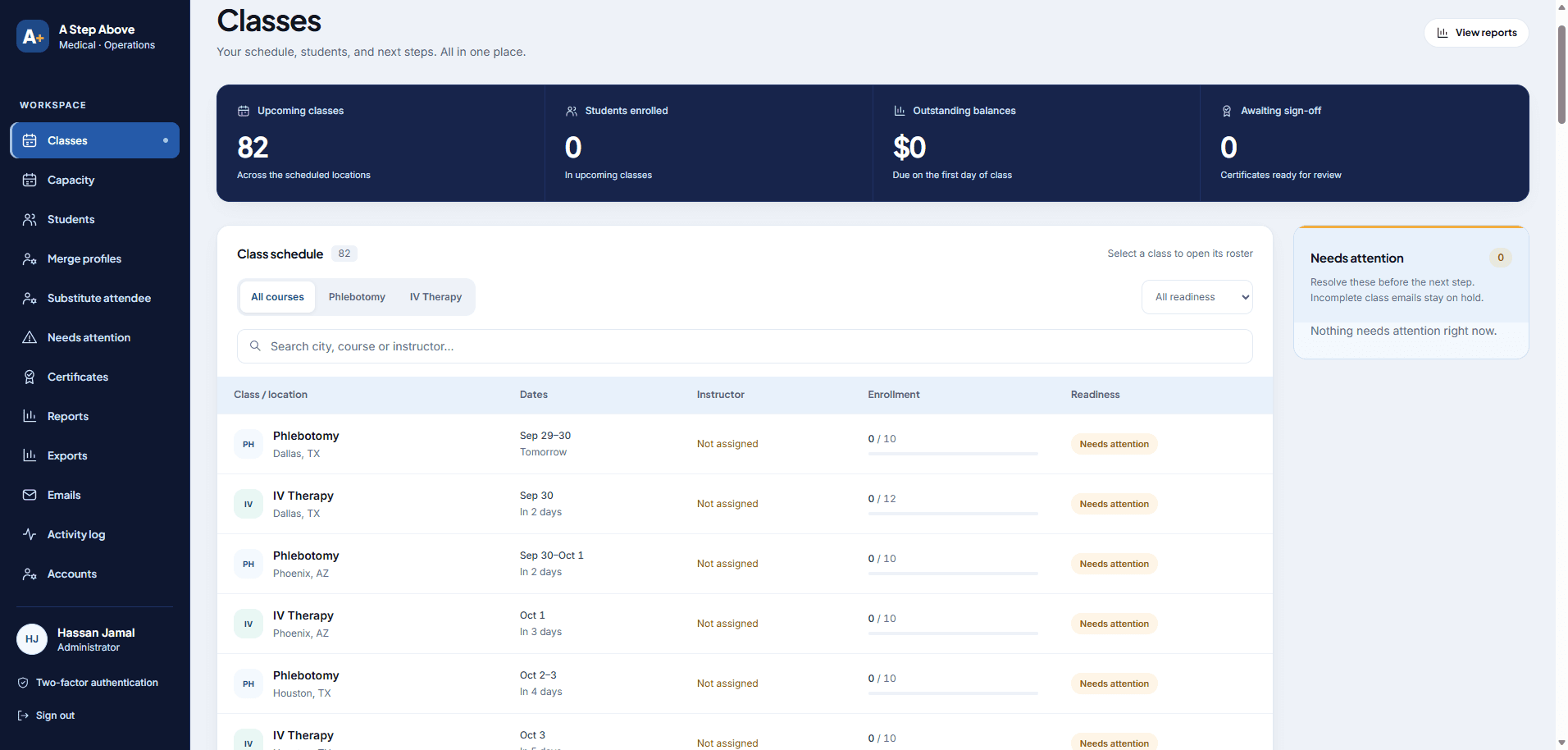
A Step Above Medical operations portal class schedule

Project / A Step Above Medical portal

A portal for class schedules, students, payments and certificates, delivered as part of a live client project.

Explore A Step Above Medical portal ↗

Independent client project, now live. These screens were captured before launch; no production results are claimed.

02 / Review your site

Who can do what with each record?

Managed database and authentication services provide useful foundations. The application still needs a data model, access rules and behavior when something fails.

01 / Review

Data and ownership

Identify the source of truth for customers, orders or projects. Map imports, duplicate records and retention requirements.

02 / Review

Authentication and access

Define staff roles and customer boundaries. Test denied access as carefully as allowed access.

03 / Review

Business workflow

Map approvals, notifications and external integrations, including retries and repeated events.

04 / Review

Operations

Agree logging, backup and restore responsibilities, vendor costs and who responds after release.

What the proposal resolves

What backend development includes.

The proposal separates platform configuration from the custom application work your team needs.

01

Database and migrations

Design tables and relationships, write versioned migrations and test representative imports. Decide which records may be edited or deleted and by whom.

02

Sign-in and authorization

Configure the agreed authentication flow and enforce access where data is read or written. For exposed tables, review row-level security policies; hiding a button is not access control.

03

Frontend and integrations

Build the agreed screens and server-side operations. Place privileged credentials outside browser code, and test failed requests, duplicate webhooks and partial updates.

04

Release and handover

Provide the agreed repository, database migrations, environment setup and runbook. Test the selected backup and recovery process before relying on it.

Website SEO / Search and AI access

Public website SEO. Private portal access.

A database or login system alone does not make a website easier to find in search. Public pages need their own content and website checks; customer accounts and uploads need their own access rules.

Connect the public website
If public service, help or product pages are in scope, review the content, metadata, internal links and published output. These checks belong to the website as well as its backend.
Keep private data private
Test sign-in and permissions for records and files. Search and AI systems should receive the intended public content, rather than access to customer accounts or staff records.

Need ongoing buyer research, page improvements and visibility reporting? AI search services are optional monthly work, scoped separately from the build. Search systems choose which pages they index or cite.

03 / Make the right call

Improve an app or build the first release.

We recommend the scope that addresses the evidence from your site and team, then put the work and boundaries in writing.

Path 1 / Existing application

Fix logins, permissions and broken workflows

Review an existing Supabase app, identify data and workflow risks, and scope specific improvements. An assessment is not a blanket security certification.

Path 2 / New application

Build a customer portal or staff app

Start with the smallest usable portal or staff tool. Add a CMS only if a separate editorial workflow also needs one.

04 / From call to handover

Build, test
and hand over.

Each stage creates something you can review. Your proposal names the deliverables and the point where you accept them.

01

Map users and records

Document roles, workflows, existing data and external systems.

02

Agree acceptance cases

Write examples for allowed and denied access, failed integrations and recovery.

03

Build a working slice

Connect one complete workflow from screen to stored record before expanding the application.

04

Test and hand over

Check permissions and failure paths, verify the release process, and document ongoing responsibilities.

05 / Your project price

Quoted to scope

The price is agreed before work starts.

Backend development cost.

Database design, authentication, custom screens, migration and integrations determine the price. A complete portal is not included automatically in a Starter website build. Discovery establishes the requirements, dependencies and release scope before a fixed proposal.

See pricing ↗
Functional scope

Named users, records, screens and integrations.

Acceptance

Access, failure and recovery cases agreed before build.

Handover

Repository, migrations, account access and operational instructions.

After launch

What the application costs to run.

The build is a one-off. These are the bills that continue, so add them up before you compare quotes.

Supabase

Selected project plan, compute, storage and usage.

Frontend hosting

Deployment, server execution and bandwidth where needed.

Connected services

Email, payments, monitoring or other providers.

Maintenance

Application updates, database changes and support.

We build on Supabase's free plan and move the project to Pro, from $25 a month, when it goes live, so you don't pay for the database during the build. The proposal records the plans; usage and reliability requirements decide them.

06 / Ownership & exports

What do you keep after a backend build?

A backend build should identify who controls the business records, accounts and application files. PandaCodeGen includes account control and documentation in its handover. Moving a database is only one part of changing providers: uploaded files, logins, connected services and the application need a separate migration plan.

Your project handover

You receive the project code and design files we create for you, plus documentation and control of the production accounts. If you then take a monthly support or care plan, that doesn't change: we keep sharing the code, documentation and accounts with you, so you always have your own copy. Third-party themes, plugins, services and assets remain under their own licence terms.

Can I take my business data with me if I change providers?

For a Supabase project, database records can be exported, but a database backup does not include uploaded files stored through Supabase Storage. Those files need a separate copy, and the application and connected services need their own checks. PandaCodeGen identifies the accounts and responsibilities in the scope and hands over the project code and documentation.

Can another developer manage the backend after you build it?

PandaCodeGen hands over the code created for your backend, documentation and control of the production accounts. Another developer can use those materials to assess the application and plan future work. Hosting can move to an account in your name on request or when the engagement ends. Provider plans, permissions and third-party licences still apply.

Your project assets

  • Code and design files

    The project code and design files we create for you.

  • Written instructions

    Instructions handed over with the project files. If you take a care plan later, we keep sharing the documentation with you.

  • Training on your editor

    An editing walkthrough at handover, so your team can update the site. Every build that uses Sanity includes training on Sanity Studio and written documentation for it. On Starter, the content editor is set up, documented, and we train you on it.

  • Your accounts

    Control of the production accounts. Hosting moves to your own account on request or when an engagement ends.

  • No required care plan

    Your build keeps working without a PandaCodeGen care plan. Hosting and other provider services still need their own arrangements.

Your written proposal states the details for your project, including any third-party licences.

07 / Before you decide

Questions people ask.

These are starting answers. Project-specific details belong in the written proposal.

Can you add customer logins and private file uploads to our website?
Yes, as a separately scoped backend or portal project. We agree the user roles, records, files and actions each person may access, then implement and test the permissions and connections to your website. Supabase is our usual platform, but we assess your existing database and APIs first. A content editor or Starter website does not automatically include this application work.
Does backend development include SEO and AI search setup?
Backend work covers the agreed data, logins, permissions and workflows. If public website pages are included, their search setup belongs in that website scope. Private accounts and uploads retain access controls. Ongoing visibility work is a separate option.
Do you only build on Supabase?
No. Supabase is our usual choice because it's quick to set up and it's Postgres underneath, so your data isn't tied to one vendor. We also work with MongoDB or another database, or around an API your business already runs, when the project needs it.
Does Supabase replace all backend development?
No. It supplies managed backend capabilities, but your application still needs database design, authorization, business logic, integrations and tests. We scope those responsibilities explicitly.
Can you connect Supabase to Next.js?
Yes. We can build a Next.js frontend with Supabase where the requirements fit. Our published operations case uses React and Vite, so it demonstrates Supabase application work rather than a completed Next.js deployment.
Is Supabase an editor like Sanity?
They solve different primary jobs. Sanity Studio is configured around publishing content; Supabase supports application data and backend services. A database dashboard is not automatically a suitable everyday editor for your content team.
Is a backend included in a $1,500 website?
A full portal or custom backend is not automatically included. The website scope and application requirements are priced separately where appropriate, with the final deliverables and vendor costs recorded in the proposal.