PandaCodeGen.

PandaCodeGen / CMS website development & integration

CMS website development. An editor built for your business.

CMS website development for a team that needs easier content editing. We can improve a suitable WordPress editor or build a custom Next.js website with Sanity. Agree the pages, publishing tasks, migration and training together before work starts.

From the work archive
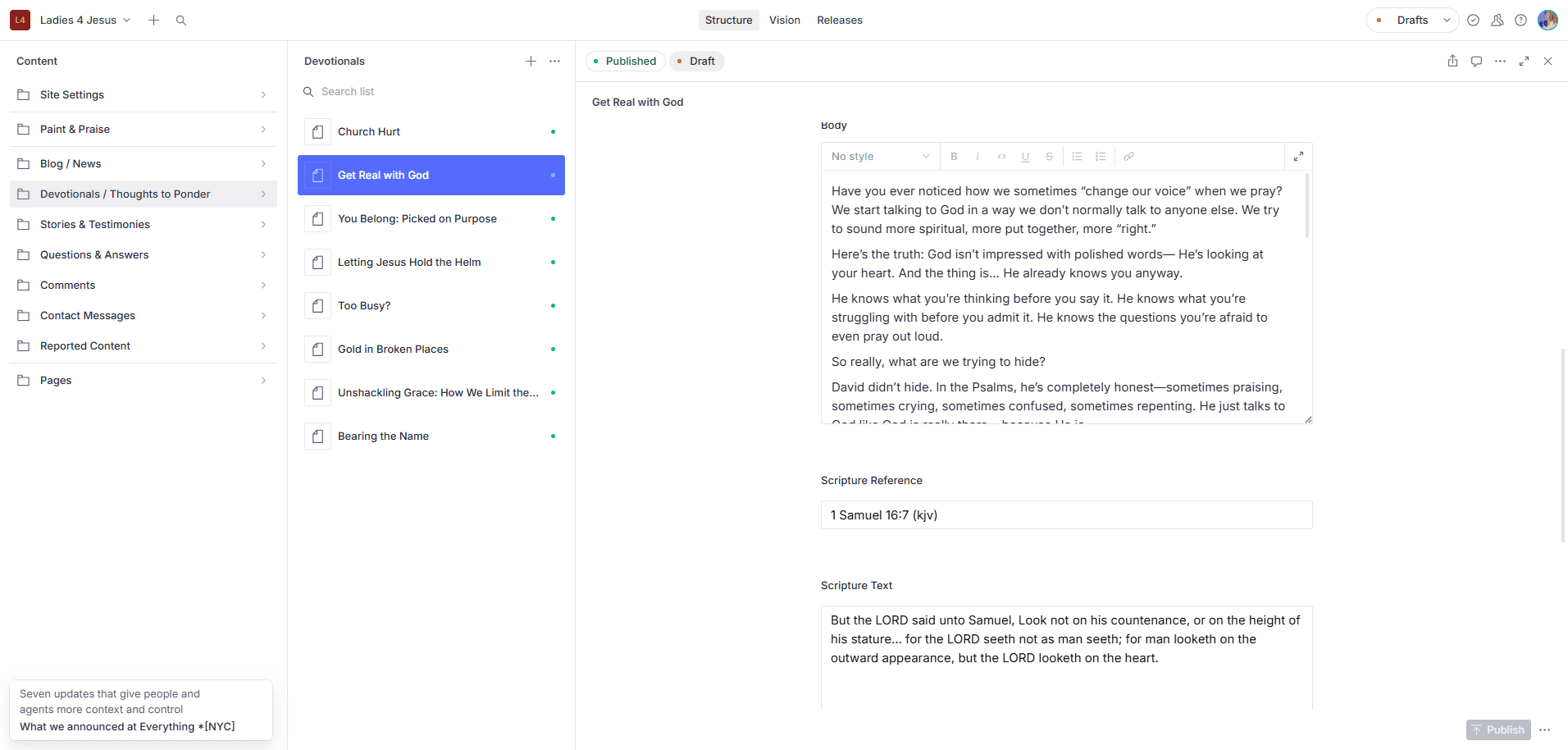
Ladies 4 Jesus Sanity Studio showing the devotional editor and publishing controls
Real client editor / Ladies 4 Jesus
  1. Choose a page or post
  2. Edit your content
  3. Publish your changes

01 / See the work

An editor built around your content.

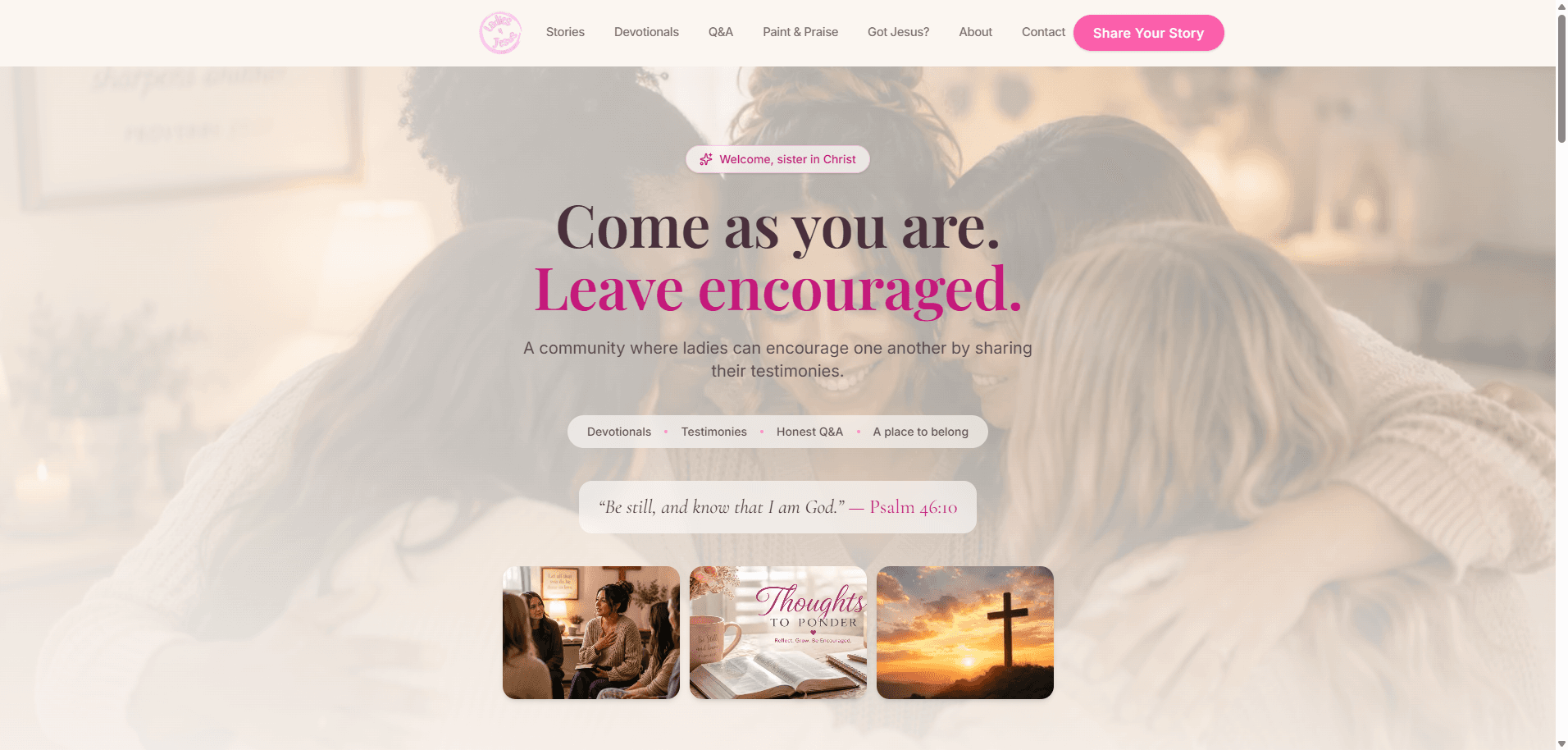
Ladies 4 Jesus moved from WordPress to a custom website with Sanity Studio. The public pages and the owner's editing workflow were part of the same project.

Public Ladies 4 Jesus website connected to its Sanity editor

Project / Ladies 4 Jesus

Content types for devotionals, stories and other publishing tasks give the owner a place to manage the material behind the website.

Explore Ladies 4 Jesus ↗

Independent client. The case study documents this implementation; your content model and publishing workflow are agreed separately.

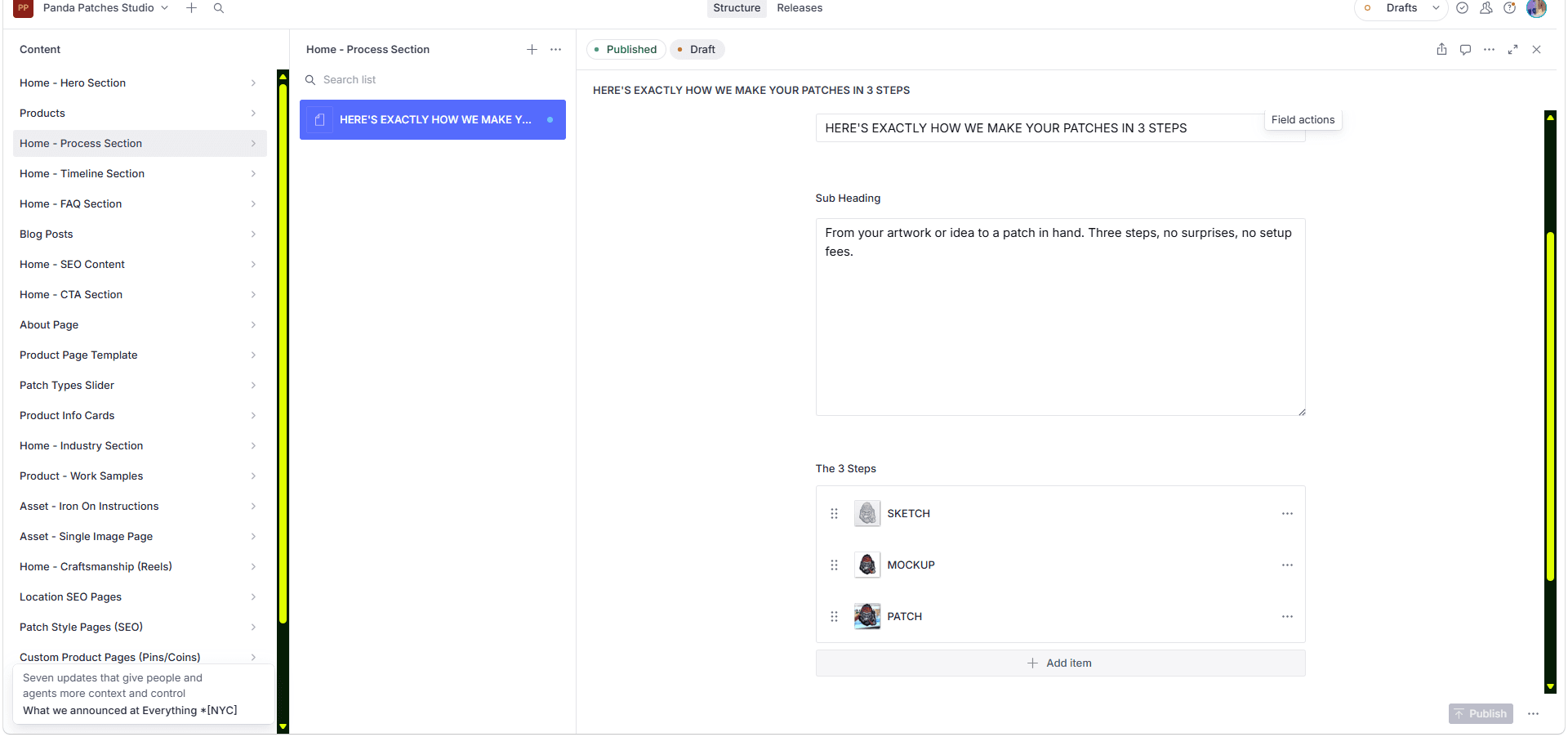
Panda Patches content editing interface

Project / Panda Patches editor

A different content model supports a product and enquiry website. The editor follows the business rather than forcing every site into the same fields.

Explore Panda Patches editor ↗
  1. Choose a homepage section
  2. Edit headings and steps
  3. Publish your changes

Founder-affiliated business; shown as implementation evidence, not an independent endorsement.

02 / Review your site

What should your team be able to edit?

Begin with everyday changes: a new service, an image, a team member or an article. We separate editable content from new design and functionality.

01 / Review

Content types

Map pages, articles, people and reusable information. Agree required fields, validation and relationships before importing content.

02 / Review

Publishing workflow

Choose who drafts and publishes. Check the vendor plan against required roles, preview and collaboration features.

03 / Review

Migration

Inventory content, media, internal links and URLs. Test a sample import before approving the complete move.

04 / Review

Editor handover

Use your real editing tasks in the walkthrough. Confirm which changes appear on the website and when.

What the proposal resolves

CMS development, editor setup and handover.

Sanity supplies the content platform. Our work connects it to the website and makes the agreed editing tasks usable.

01

Website and content model

The proposal lists page templates, Sanity schemas, reusable content and who writes or imports it. Adding a new page type or layout is development work unless a suitable template is already included.

02

Preview and publishing

Agree whether editors need a draft preview or visual editing. Demonstrate the chosen workflow and test how publishing updates the public pages; these connections require implementation.

03

Forms and private records

An editor does not replace a customer portal. Contact handling, private uploads, customer accounts and transactional data receive separate storage and access decisions.

04

Access and ownership

The handover lists repository access, the Sanity project, hosting and domain accounts, content export, instructions and support responsibility. Third-party subscriptions remain subject to their own terms.

Website SEO / Search and AI access

CMS websites built for search and AI.

The editor and the published website have different jobs. Your team updates the agreed fields; the public site needs to turn them into useful pages that people and search systems can read.

Content with useful fields
Give service, location and article content appropriate titles, headings and links. Check what the website publishes, not only what appears in the editor.
A check after publishing
Review readable page text, canonical addresses, sitemap/indexing settings and relevant structured data. A content migration also needs a URL and redirect plan.

Need ongoing buyer research, page improvements and visibility reporting? AI search services are optional monthly work, scoped separately from the build. Search systems choose which pages they index or cite.

03 / Make the right call

Keep the CMS that fits the work.

We recommend the scope that addresses the evidence from your site and team, then put the work and boundaries in writing.

Path 1 / Improve

Keep a working editor

If WordPress or your current builder handles the required content well, an improvement may be enough. We identify the specific reason to change before recommending a migration.

Path 2 / Build or migrate

Use a tailored Sanity editor

Choose this route when reusable content, a custom frontend or a more specific publishing workflow warrants the implementation and upkeep.

04 / From call to handover

Build, test
and hand over.

Each stage creates something you can review. Your proposal names the deliverables and the point where you accept them.

01

Try representative content

Bring one ordinary page and the most complex content item. Map the fields and publishing decisions.

02

Approve an editor sample

Review one template and its Studio fields before we repeat the pattern across the site.

03

Build and move content

Develop the agreed website, configure previews where scoped, and validate imported records and links.

04

Publish and hand over

Check redirects, content updates and forms, then complete an editing walkthrough and transfer agreed access.

05 / Published starting point

From $1,500

Starting point, not an instant quote.

CMS website development cost.

Custom CMS website builds start at $1,500, with an editor for the agreed pages. WordPress builds and focused CMS improvements are quoted separately. Migration, extra templates, localization, approvals and integrations can increase the scope. Your quote names the editor setup and training included.

See pricing ↗
Editable content

Named fields and templates demonstrated before launch.

Migration boundary

Content, media and redirects explicitly included in the quote.

Handover

Account access, repository, instructions and an editing walkthrough.

After launch

The subscriptions after launch.

The build is a one-off. These are the bills that continue, so add them up before you compare quotes.

Sanity

Plan, seats and usage for the editorial features you need.

Website hosting

Hosting and usage for the deployed frontend.

Other services

Domain, email, search or integrations where required.

Maintenance

Dependency updates and support agreed separately.

Vendor plans can change. The proposal records the selected plans and assumptions; a managed platform does not make every website free to operate.

06 / Ownership & exports

What do you keep with a website you can edit?

An editable website should come with more than a login. PandaCodeGen hands over the project files we create, instructions, account control and an editing walkthrough. The scope identifies what your team can change. If your site uses Sanity, its content can be downloaded; moving it to another editor may require conversion.

Your project handover

You receive the project code and design files we create for you, plus documentation and control of the production accounts. If you then take a monthly support or care plan, that doesn't change: we keep sharing the code, documentation and accounts with you, so you always have your own copy. Third-party themes, plugins, services and assets remain under their own licence terms.

Can I update my website without calling a developer?

Yes, for the content agreed in your scope. PandaCodeGen sets up an editor for your words, images and business details, documents it and demonstrates how to use it. Changes to the design, new features or business rules may still need development. The handover makes that boundary clear so your team knows what it can manage.

Can I take my content with me if I change website editors?

A custom website using Sanity can download its content and available uploaded images and files. A different editor may need that content converted before importing it. Missing or inaccessible files need separate recovery. PandaCodeGen also hands over the project code and documentation, so the next developer can review how the site was built.

Your project assets

  • Code and design files

    The project code and design files we create for you.

  • Written instructions

    Instructions handed over with the project files. If you take a care plan later, we keep sharing the documentation with you.

  • Training on your editor

    An editing walkthrough at handover, so your team can update the site. Every build that uses Sanity includes training on Sanity Studio and written documentation for it. On Starter, the content editor is set up, documented, and we train you on it.

  • Your accounts

    Control of the production accounts. Hosting moves to your own account on request or when an engagement ends.

  • No required care plan

    Your build keeps working without a PandaCodeGen care plan. Hosting and other provider services still need their own arrangements.

Your written proposal states the details for your project, including any third-party licences.

07 / Before you decide

Questions people ask.

These are starting answers. Project-specific details belong in the written proposal.

Can you improve a website that is difficult to update?
Yes. We begin with the changes your team needs to make: words, images, services, team members or articles. We can improve a suitable existing editor or build the agreed website and Sanity editing workflow together. You review the fields and publishing tasks before launch, with training and written instructions. New layouts or functionality are scoped separately.
Will our CMS website be readable by Google and AI search?
We check what the agreed CMS fields actually publish, including readable page content and search settings. Editorial access alone is not enough: the public website needs checking after publication. Ongoing research, content improvements and visibility reporting are separately scoped.
Which CMS should our website use?
We start with your content, editing tasks and integrations. WordPress can fit a straightforward website; Sanity with a custom Next.js frontend can fit reusable structured content or a tailored publishing workflow. We explain the tradeoffs and subscription costs before recommending a platform.
Does a custom Next.js website include an editor?
It can. We configure Sanity Studio for the content types and templates named in your quote, connect it to the website, and include an editing walkthrough. New layouts and features are separate from changing existing content.
Can you migrate Wix or Squarespace content to Sanity?
Yes, after checking the content and export options. The scope names the pages, media, structured content and URL redirects to move. Forms, scheduling and commerce integrations are reviewed separately rather than assumed to transfer automatically.
Can my team publish without a developer?
Your team can change the fields and publish the content types implemented for it. We demonstrate the agreed publishing and preview workflow before launch. A new content type, integration or layout may still need development.
Do I also need Supabase?
Not for an ordinary content website. Supabase becomes relevant when the product needs application records, sign-in, permissions or private workflows. The content editor and application backend can have different responsibilities.

Keep exploring

All services ↗