Work / A Step Above Medical / Live
A Step Above Medical
Case study updated
A complete medical training management system.
A complete medical training management system: a public course website, a content editor and a separate team portal for classes, students, payments and certificates. The website was rebuilt from WordPress with Next.js and Sanity; the portal uses Supabase. The project is live.
- Status
- Live
- Owner confirmation
- Project live, confirmed by the owner, as of .
Inside the medical training management system
A website for students.
A workspace for the team.
One system connects the public course website, editable course and location content, and the team's class operations portal. The project is now live. Explore the screens below, captured before launch.
01 / Course website
Help students find their next class.
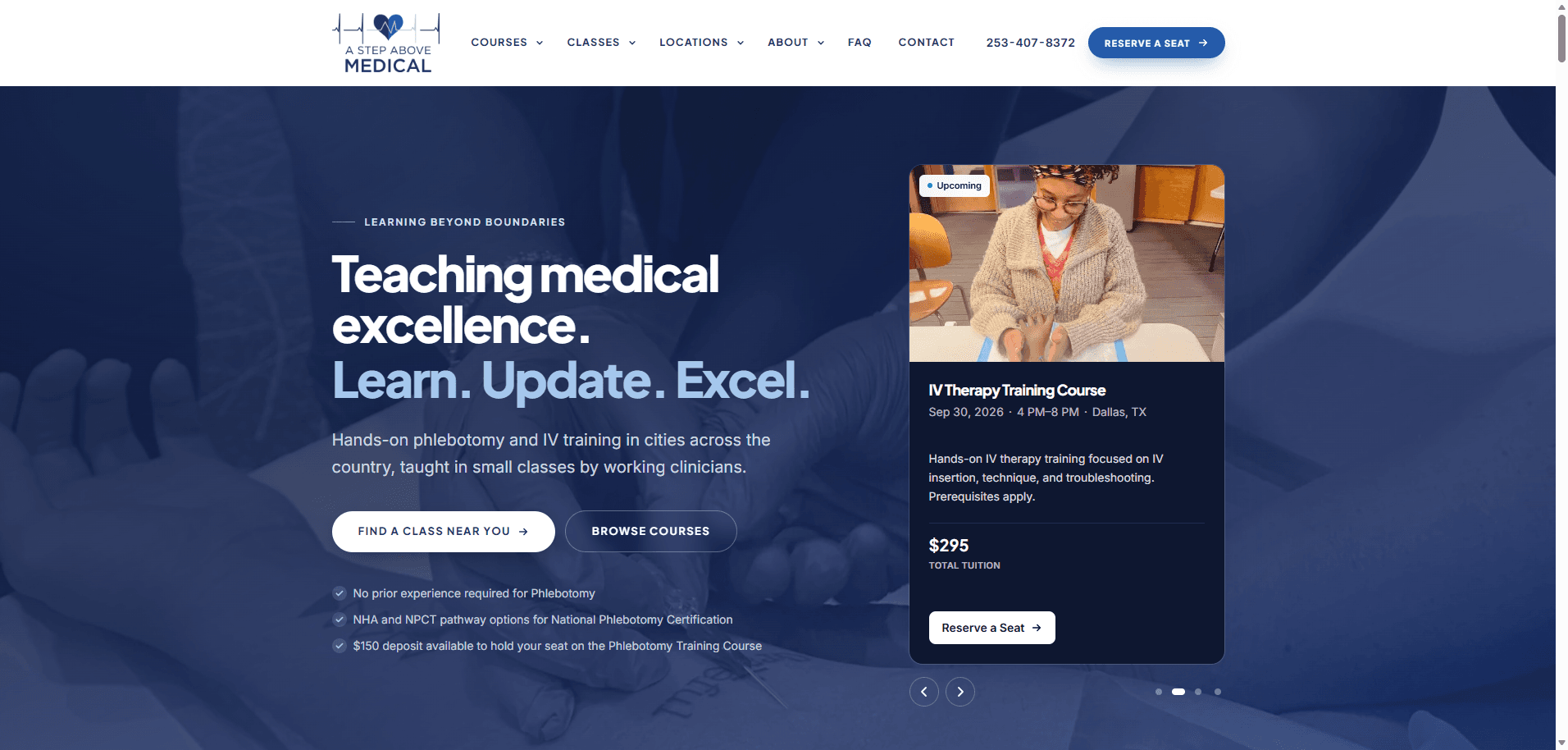
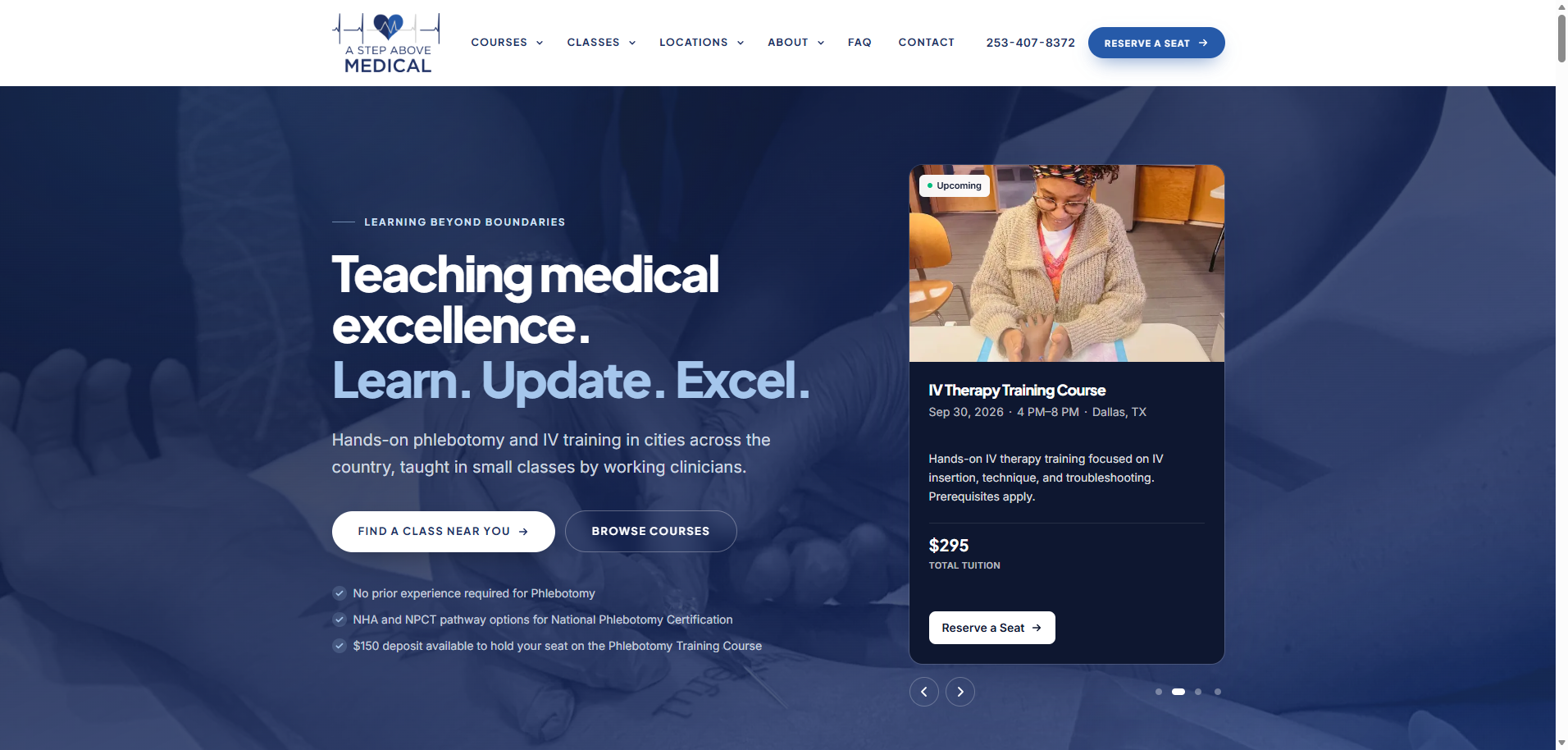
The website brings courses, locations and upcoming classes together. A student can browse the training available and follow a clear route to reserving a seat.
The homepage introduces phlebotomy and IV therapy training, with an upcoming-class card showing the course, city, date and tuition. These are course bookings, rather than patient appointments.
This capture shows an earlier course date. It illustrates the website design, not the current class schedule.
From finding a course to reserving a seat
The new homepage gives students a way to explore courses and find classes by location. The website is now live.
02 / Content editor
An editor built for courses and locations.
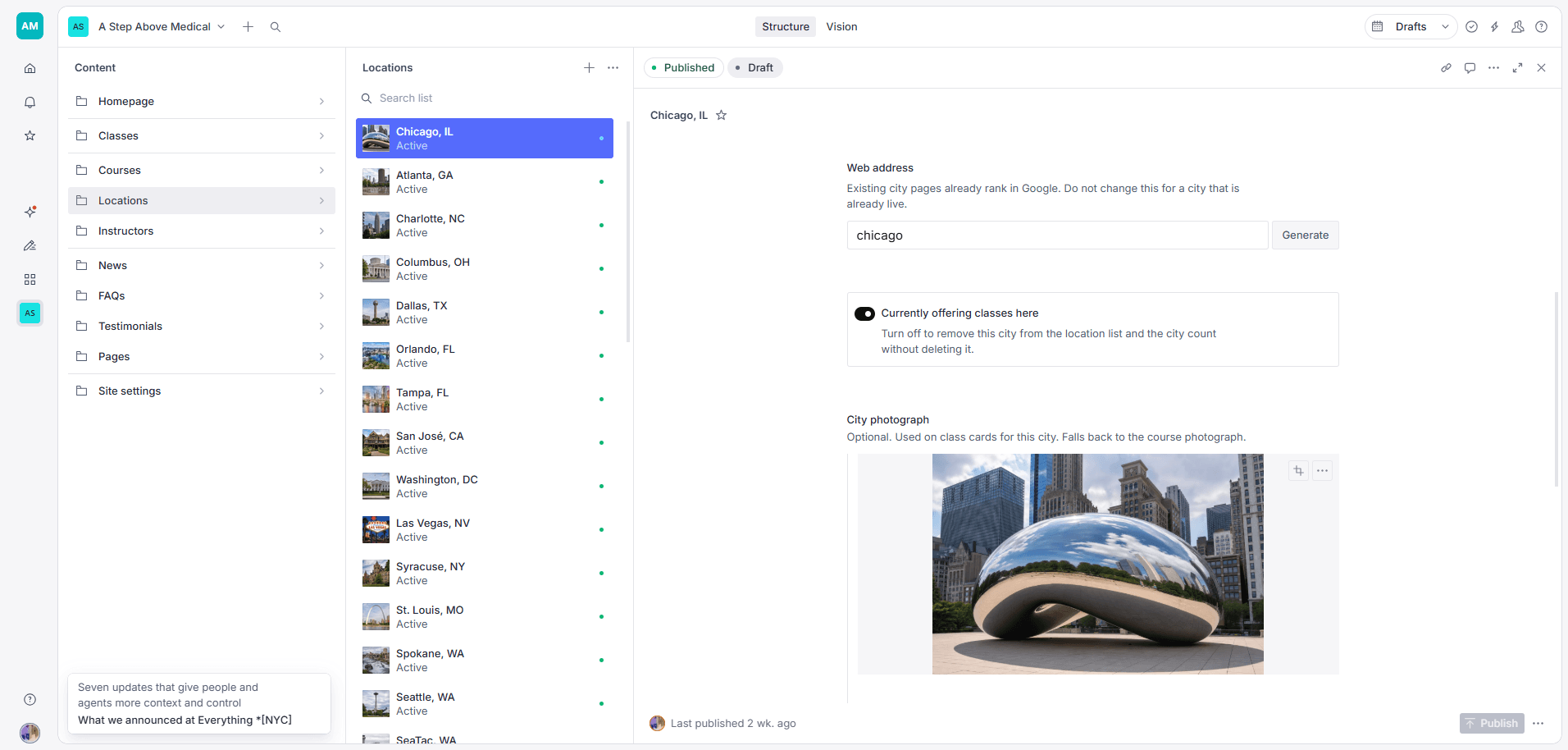
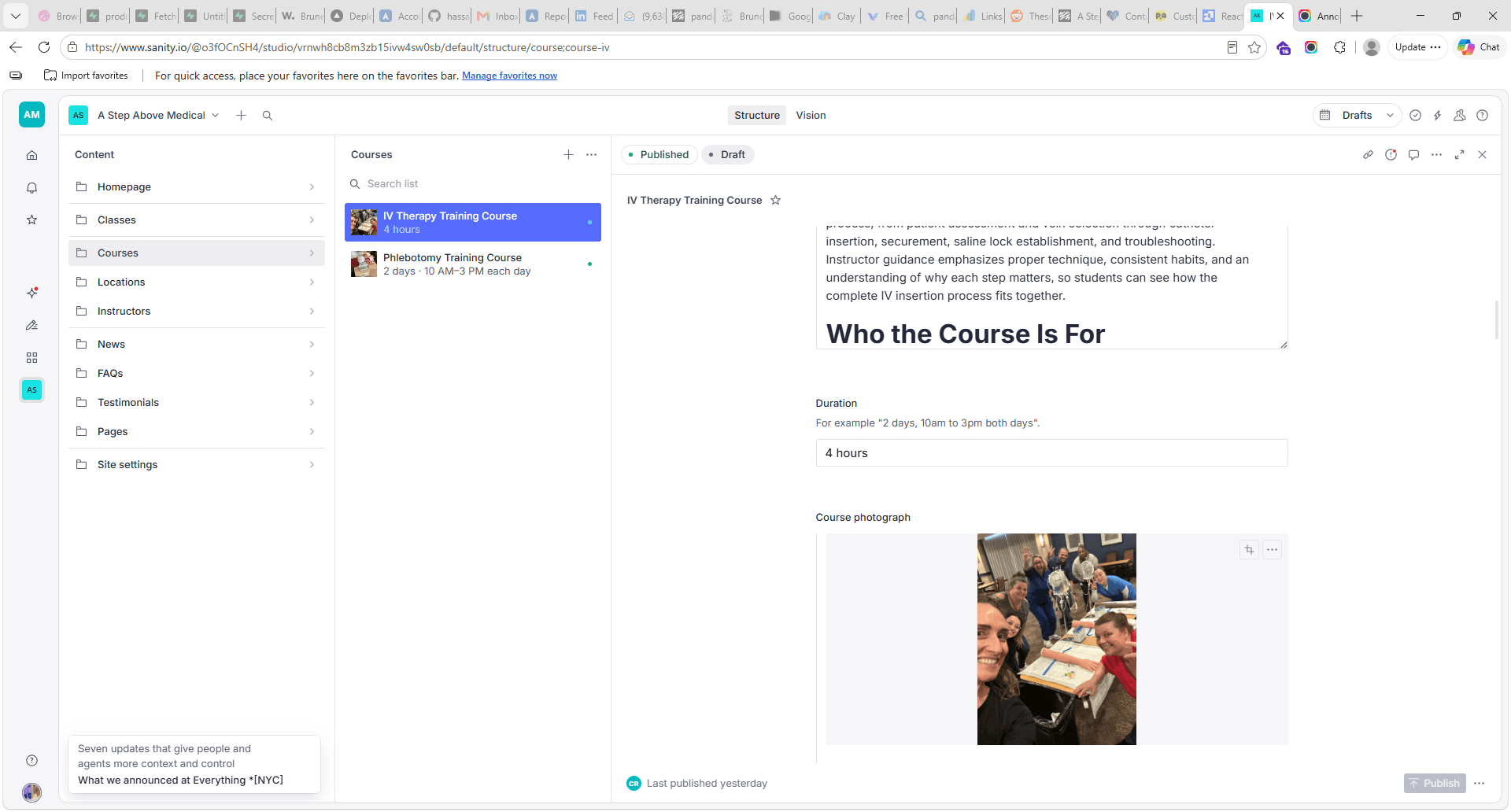
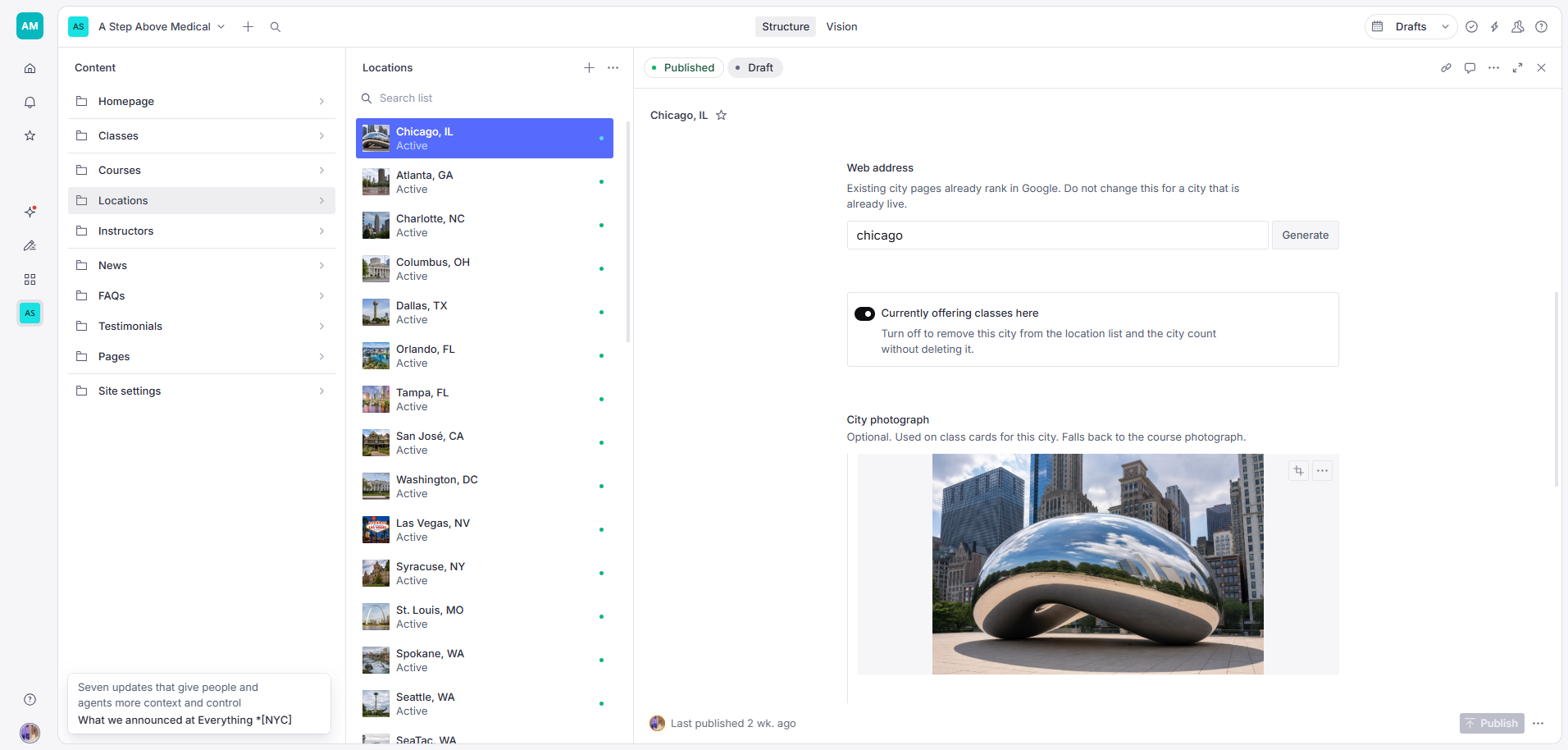
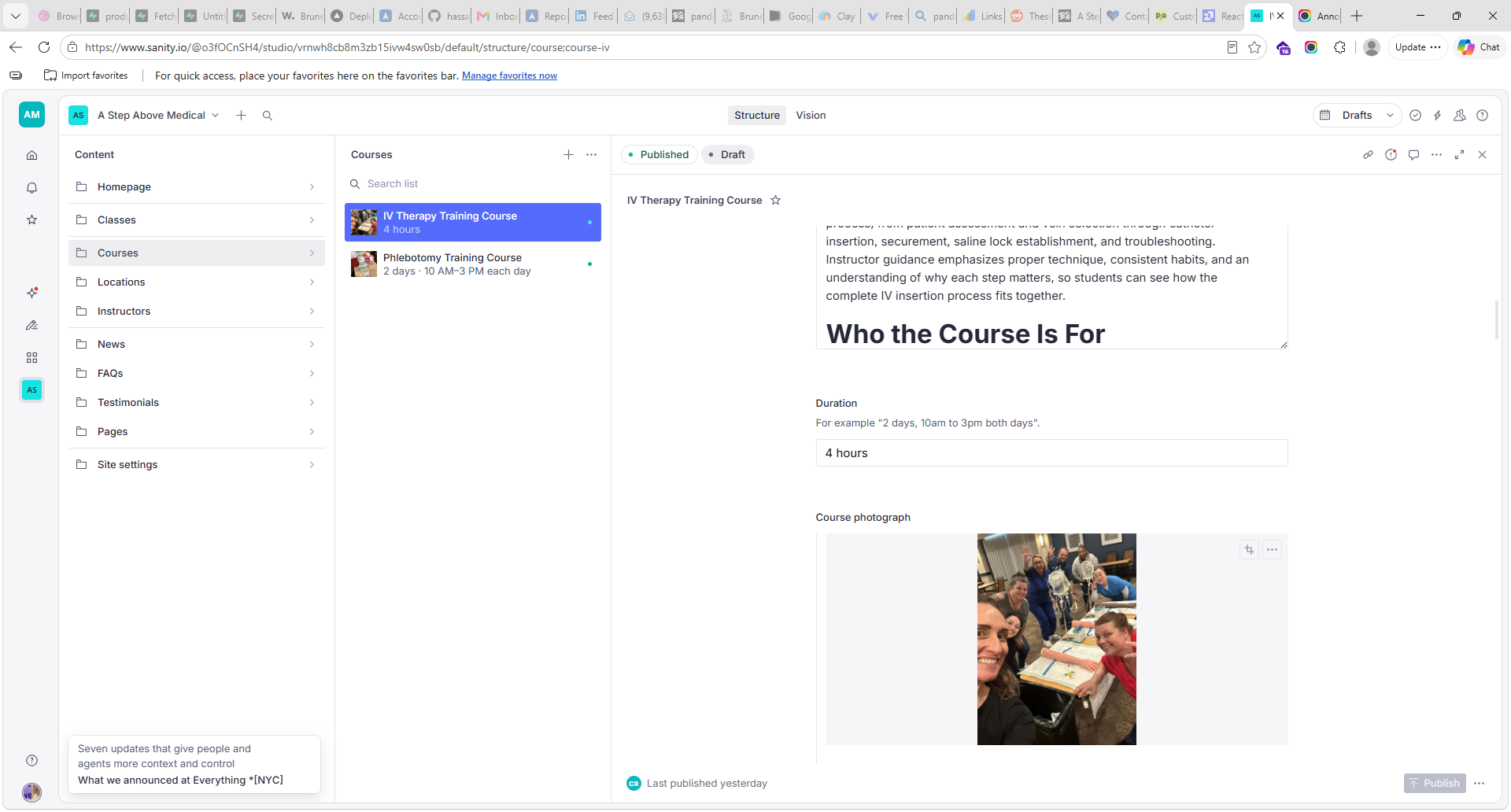
The content editor separates courses from locations. Staff can change descriptions, durations and photographs without asking a developer to rewrite a page.
Each location has its own web address and an active toggle. The editor explains how to remove a city from the location list without deleting its page, and warns against changing an existing address unnecessarily.
The screenshots show the Sanity editor used for the website's content. Class operations have their own portal.
Manage a location without rebuilding the website
City pages have their own entries, photos and availability controls. The visible address guidance supports keeping existing links consistent.
- Choose a location
- Edit location details
- Publish your changes
Edit a course in one place
The team can update course information, including the description, duration and photograph, through the content editor.
- Choose a course
- Edit course details
- Publish your changes
03 / Team operations portal
Bring the class schedule and its paperwork together.
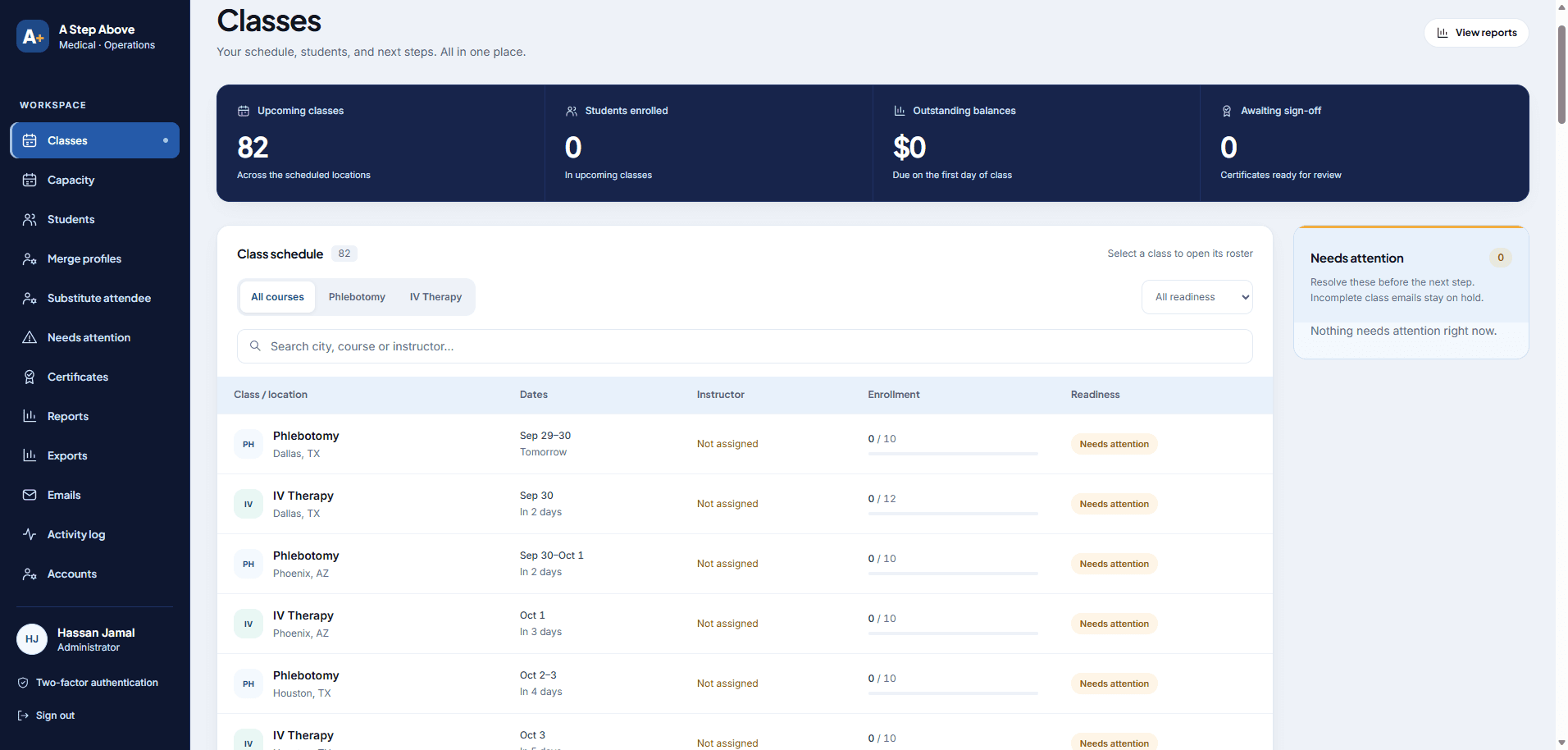
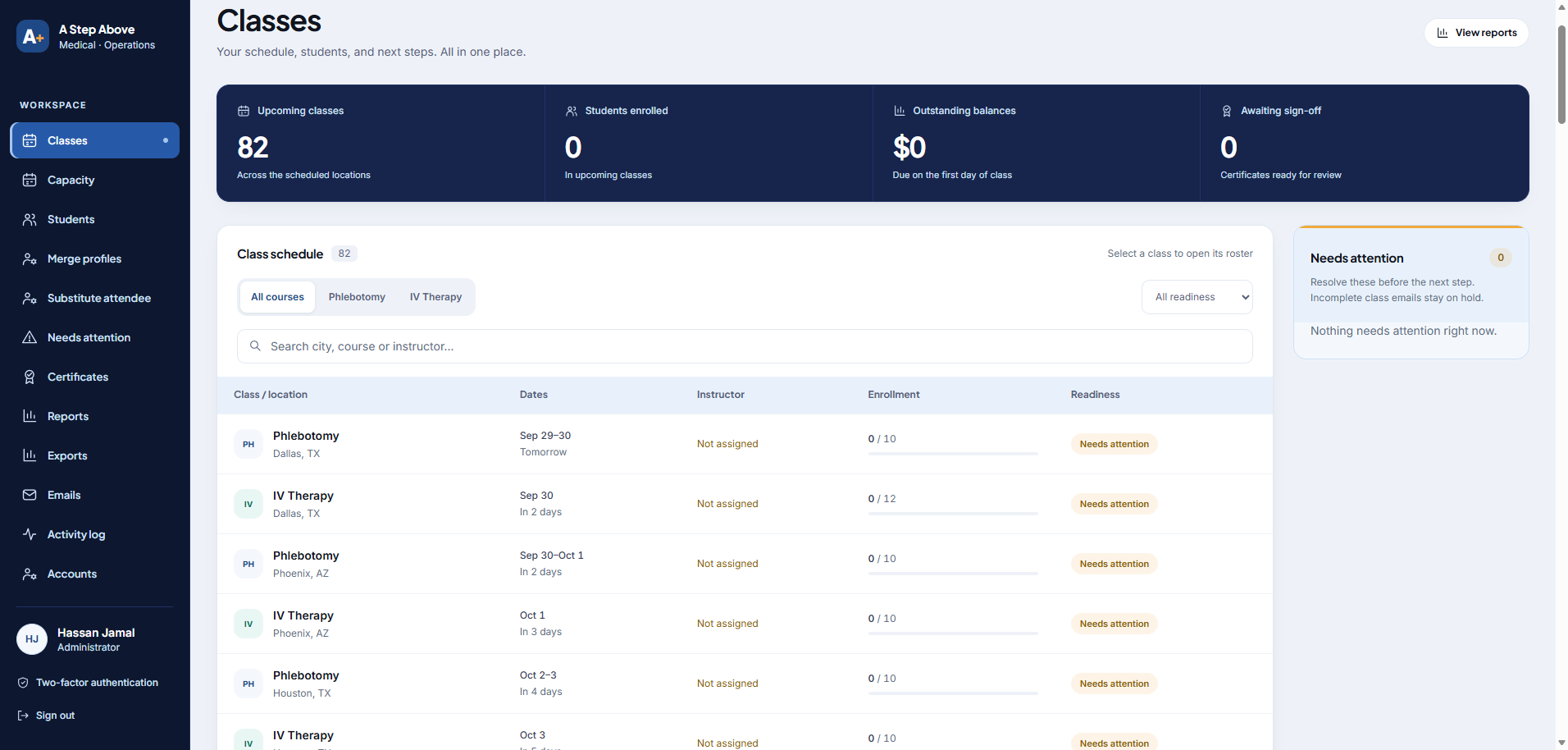
The separate portal gives the team a class schedule with enrolment, instructor assignments and readiness status. Navigation groups student records, certificates, payments-related reporting, emails and account administration in one workspace.
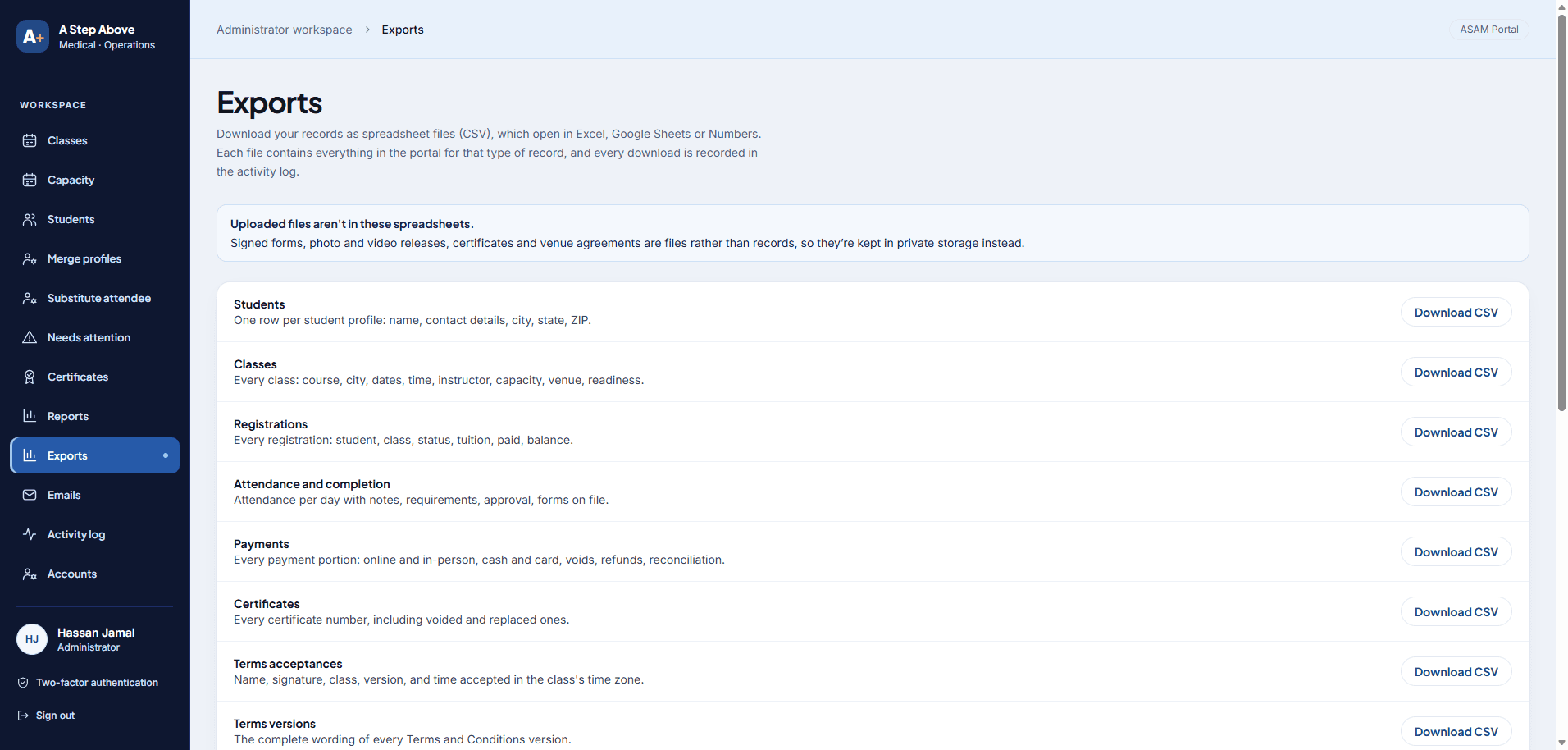
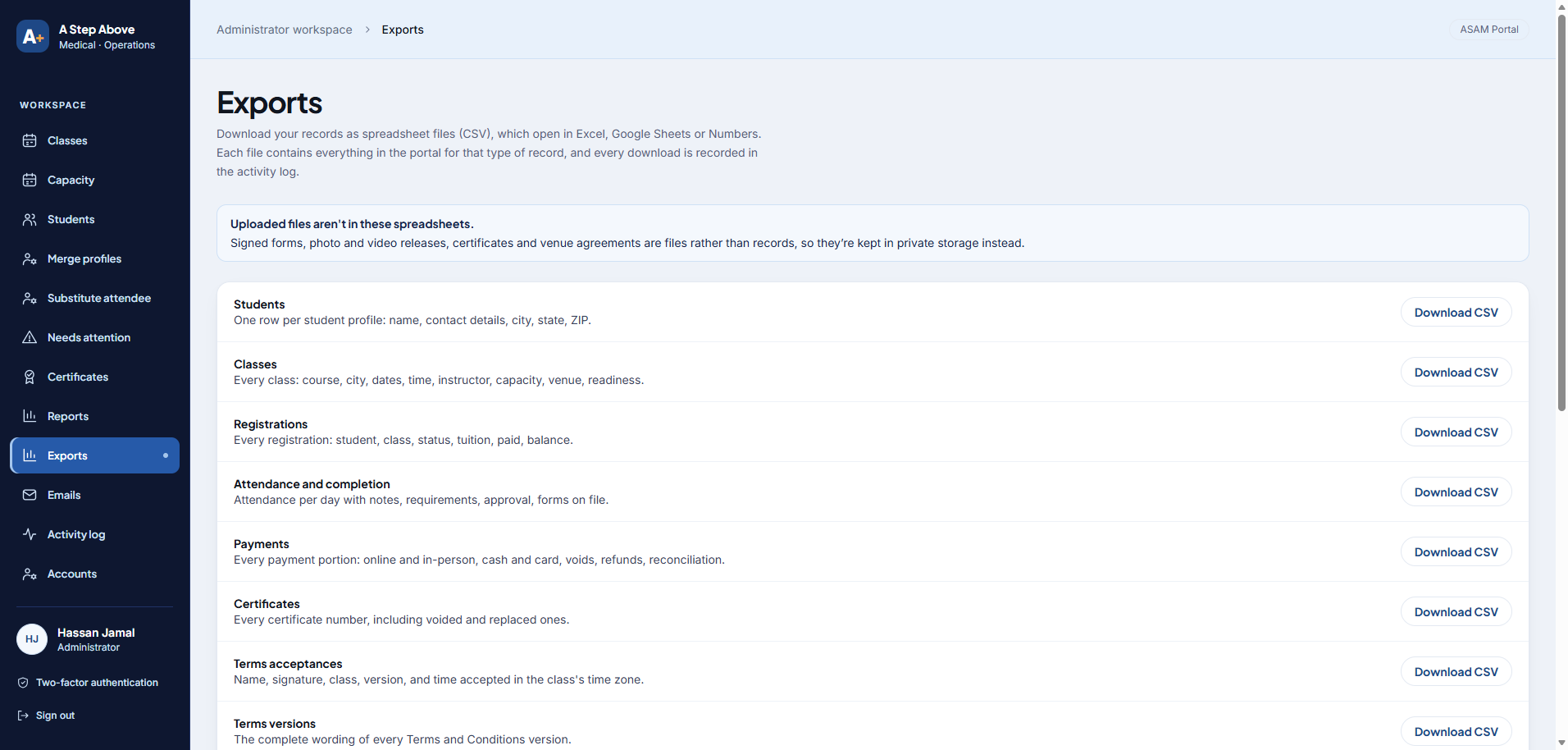
The exports screen offers spreadsheet downloads for students, classes, registrations, attendance, payments, certificates and accepted terms. Uploaded documents are stored separately from those spreadsheet records.
These interface captures were taken before launch. The counts and balances shown are not presented as production results.
See what each class needs next
The class view keeps scheduling, enrolment and readiness beside each other, with an attention panel for items the team needs to review.
Take the records out as spreadsheets
Staff can download records as CSV files. The screen distinguishes these records from uploaded documents and says each download is logged.
The website uses Next.js and Sanity; the operations portal uses Supabase on the client's own account. The owner confirmed the project is live on 20 October 2026.
Before and after
What the new system replaced
The old WordPress site needed manual work around every booking. The owner confirmed each row below on 21 October 2026.
| Job | Old WordPress site | New system |
|---|---|---|
| Booking and payment | An enquiry form. The team replied by email with a Stripe payment link. | Students book a class and pay by Stripe directly on the website. |
| Messages to students | Nothing automatic. | Automatic emails, including reminders of fees, dates and venue. |
| Certificates | Made by hand. | Issued from the portal, using a PDF certificate template we designed. |
| Student contact details | Email addresses only. The site never collected phone numbers. | Registration collects a phone number. For students imported from the old site, the team collects it in class. |
| Class schedule | The Events Calendar and Events Calendar Pro, with Event Tickets. | Class schedule, enrolment and payments in the portal; course and location pages edited in Sanity. |
| Forms | Ninja Forms. | Booking and contact forms built into the website. |
| Email records | WP Mail Logging. | Email and activity-log sections in the portal. |
| Page design and custom code | Divi page builder and the Code Snippets plugin. | A custom Next.js website, with every code change recorded in GitHub. |
Questions about this project.
Is A Step Above Medical live?
What did you build for A Step Above Medical?
Can the team update courses and locations themselves?
Can staff export the portal's records?
What did the new system replace?
What can the team manage in the medical training system?
A better website. Less work behind it.
Tell us what visitors need to find and what your team currently manages by hand. We can scope the website, a custom portal, or an improvement to your existing system.