CMS / Sanity vs WordPress
Sanity vs WordPress: Which Editor Fits Your Website?
WordPress is free software you host and keep updated, and your theme and plugins decide what its editor looks like. Sanity is a hosted editor set up around your content, paired with a custom website. How to choose, with a real client editor and five tasks to test.
By Hassan Jamal, Co-founder and Lead Engineer
Published ·UpdatedKeep WordPress if your current editor already does what your team needs and the site mainly needs fixing. Choose Sanity if you're rebuilding anyway and want an editor with exactly the fields your content uses. WordPress is free, open-source software that you host and keep updated, and your theme and plugins decide what its editor looks like. Sanity is a hosted editor, Sanity Studio, that a developer sets up around your content and connects to a custom website, usually built with Next.js.
Most of our clients come to us to move off WordPress. When they do, the Sanity editor is part of the Next.js build price, so the choice comes down to which editor your team will actually use. For the technical side, see our Next.js and Sanity stack guide.
What changes for the person editing the site?
In WordPress you build pages from blocks: text, images, headings and any blocks your theme and plugins add. In Sanity Studio you fill in fields set up for your content, such as a service's name, description and photo, and the website decides the layout. WordPress gives editors more freedom over layout; Sanity gives them fewer ways to break the design. See the WordPress block editor documentation and Sanity's visual editing documentation.
| Task | WordPress | Sanity |
|---|---|---|
| Writing an article | The block editor. Your theme and plugins can add more blocks. | A form with the fields your articles use, set up during the build. |
| Changing a layout | Often possible in the editor, depending on the theme or page builder. | Usually a developer change, unless that section was built to be editable. |
| Details used on several pages | Often copied by hand, or handled by a plugin. | Stored once as its own record and shown wherever it's used. |
| Undoing a mistake | Revisions for posts and pages are built in. | History is built in. How far back it goes depends on the Sanity plan (see the prices below). |
| Keeping it running | You or your developer update WordPress, the theme and plugins, and keep backups. | Sanity hosts the editor. Your developer looks after the website code and its hosting. |
What does Sanity cost compared with WordPress?
WordPress itself is free, so you pay for hosting, any premium themes or plugins, and the time spent keeping them updated. Sanity's Free plan is $0 a month, with up to 20 user seats, 2 public datasets, 10,000 documents, 1 million API CDN requests and 100 GB bandwidth a month; 3 days of draft change history and 2 permission roles. The Growth plan is $15 per seat a month, with up to 50 user seats, 25,000 documents, private datasets and 90 days of draft change history and 5 permission roles. Prices as of October 2026, from Sanity's pricing page.
Your site may fit on the Free plan, depending on its usage and how many permission roles your team needs. The website also needs hosting; our breakdown of what a website costs to run each month lists the whole bill.
Two real Sanity editors: Panda Patches and Ladies 4 Jesus
Panda Patches, a custom patch business owned by our founder, moved from WordPress and WooCommerce to a custom Next.js website with Sanity. Its team edits blog posts, product pages, case studies and homepage sections in one Studio, and the blog alone has 63 posts. Each content type has its own list and its own fields, so writing a guide and adding a case study feel like filling in two different forms.
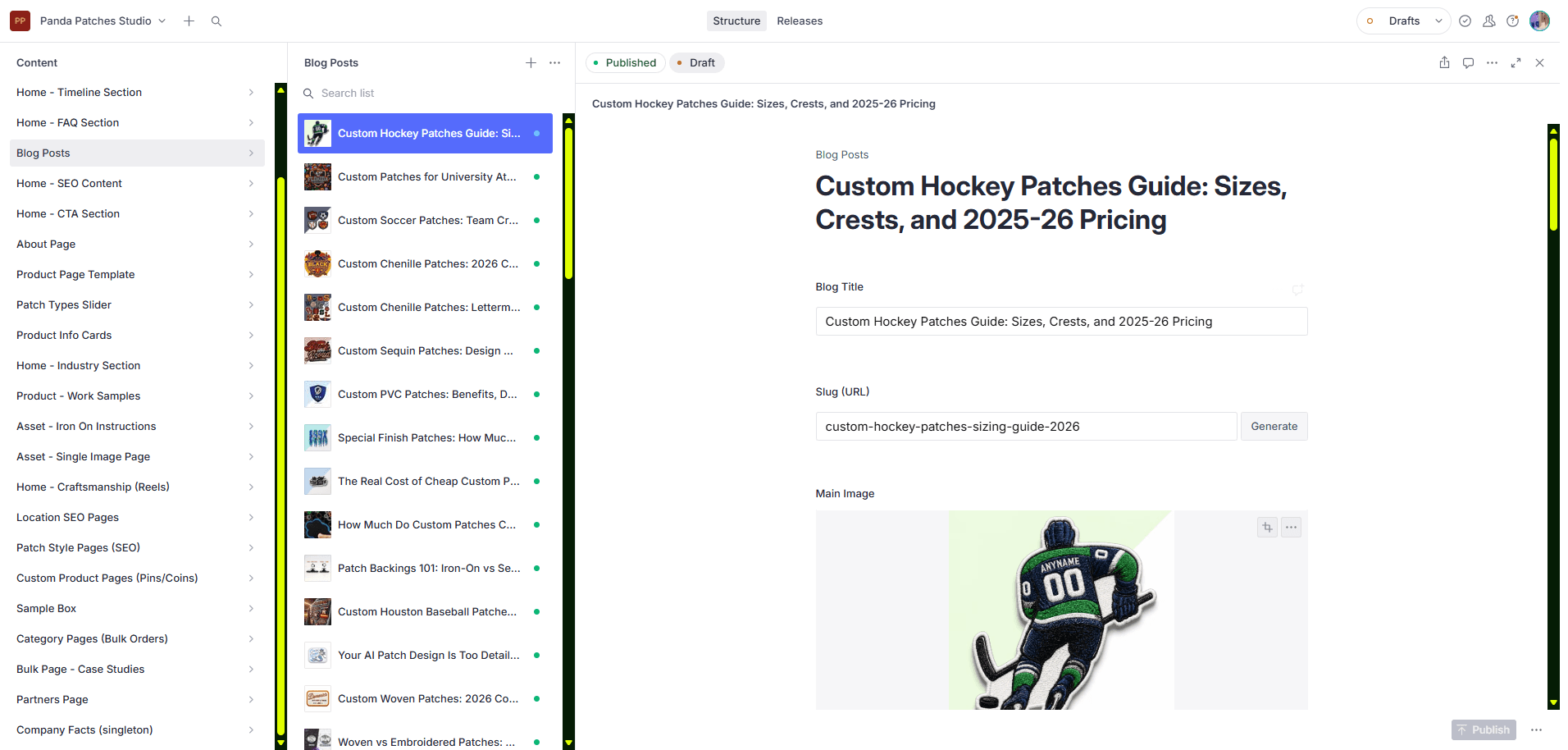
- Choose a blog post
- Edit the post details
- Publish your changes
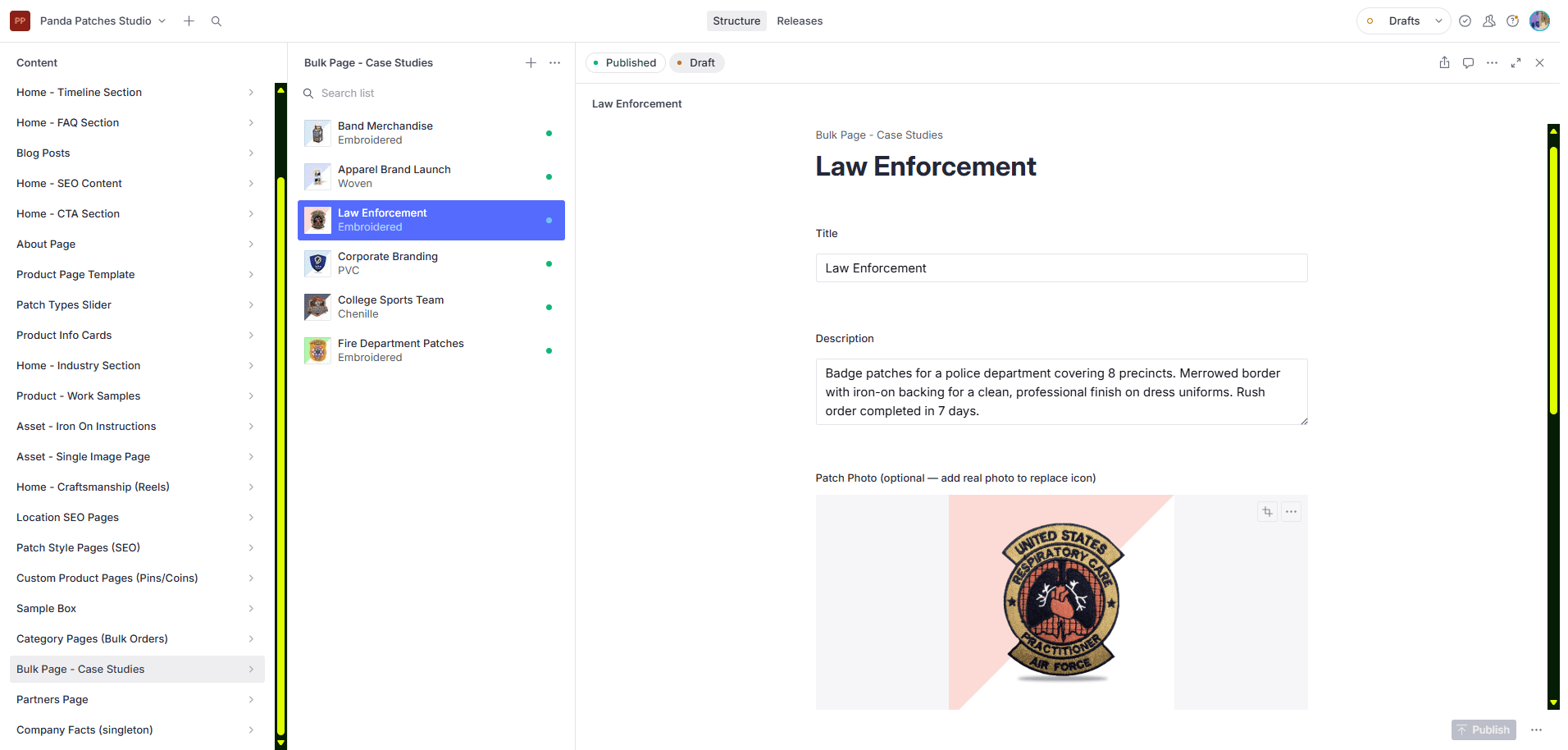
- Choose a case study
- Edit the case study
- Publish your changes
Ladies 4 Jesus, an independent client, made the same move from WordPress. Its editor lives on the site itself, at /studio, with nine content types in its sidebar. When the owner edits a devotional and publishes it, the live site shows the change in about sixty seconds. We ran three training sessions with her, and she messages us when she needs something new. The site runs on Sanity's Free plan: traffic is low and only a few people edit it.
Five tasks to try before you choose
Ask your developer to show you each task on a test copy of the site, with the person who'll do the editing at the keyboard.
- Change a service description, then check the public page shows the change.
- Publish an article with an image, then check the image description, the phone layout and the author.
- Fix a typo on a live page without help from the developer.
- Change something used on several pages, like opening hours, and check every page that shows it.
- Ask for something the template doesn't cover, and find out whether that's routine editing or a paid change.
Write down where the editor needed help. If your WordPress setup passes all five, you may not need to switch.
What a WordPress-to-Sanity move has to keep
A move has to keep your URLs, your content and images, and the jobs your plugins do, like forms, bookings or search. List every public URL first, and decide for each plugin whether its job moves to the new site or stops. Import a sample of pages and compare headings, images, meta descriptions and internal links before moving the rest. Where a URL has to change, redirect it to the matching new page. Our guide to migrating WordPress to Next.js covers the steps.
When should you keep WordPress?
Keep WordPress when a smaller fix solves the real problem: a slow theme, too many plugins, or an editor nobody was trained on. We work on both. Our WordPress development service improves the site you have, and our Sanity website development service is for a rebuild.
If what's missing is customer logins or a private portal, that's a backend job, not a CMS one. Read Sanity vs Supabase.
Common questions
Is Sanity better than WordPress?
Is Sanity free in 2026?
How does Sanity make money if the Free plan costs nothing?
Can you set up Sanity for my website?
Can I edit a Next.js website without coding?
Will moving to Sanity improve my rankings?
Related Articles
Should You Build or Buy Software in 2026? A Cost Framework
Compare SaaS with custom software using current quotes, migration, maintenance, security, adoption, operating risk, and scenario-based break-even.
AI-Built Website Checklist: 8 Checks Before Launch and After Changes
Check enquiries, payments, mobile use and search access on your AI-built website. Eight practical checks, evidence to save and when to repeat them.
Product Catalog Website Without a Cart: Take Quote Requests
If you sell custom or made-to-order products, your website needs a catalog and a quote form, not a shopping cart. How we build one from a single product list, with a free example you can download.
PandaCodeGen offers website and application development. Recommendations here reflect our delivery approach; the proposal for your project defines its scope. How we use evidence.