PandaCodeGen / Training business websites & booking systems
Training business websites. Class booking, payments and certificates in one system.
Websites and booking systems for training providers: course pages, class registration, deposits and payments, rosters, attendance and certificates, connected to the accounting tool you use. We map how a student books today and what your team does by hand, then agree the first release, running costs and price in writing.
01 / See the work
A training system we built.
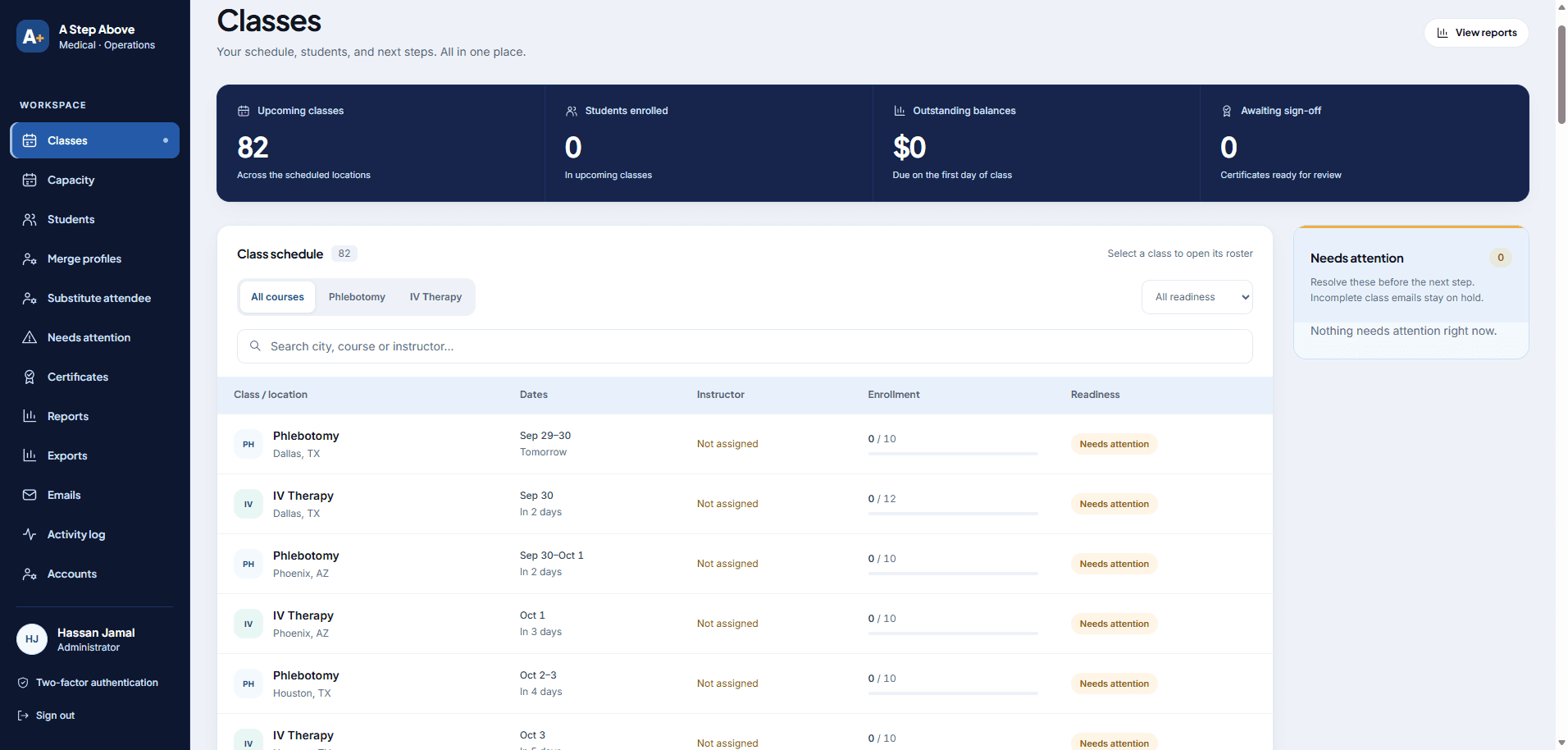
A Step Above Medical teaches medical courses. We connected its course website to online booking, payments, student emails and a staff portal for classes and certificates. Certificates are emailed after the class, and payments sync to QuickBooks every 30 minutes.
Project / A Step Above Medical
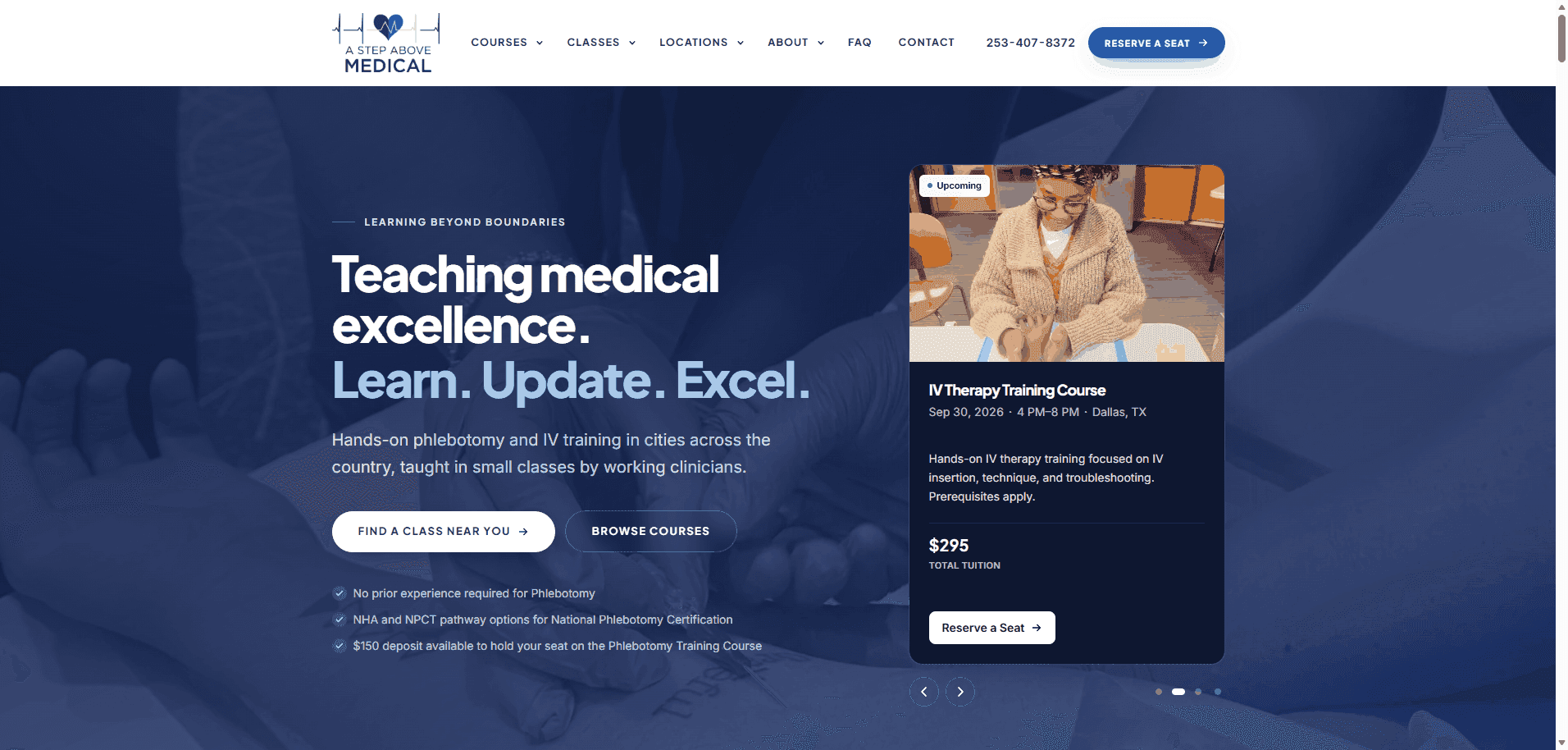
A complete medical training management system: a public course website, a content editor and a separate team portal for classes, students, payments and certificates. The website was rebuilt from WordPress with Next.js and Sanity; the portal uses Supabase. The project is live.
Independent client project, now live. Website and portal previews were captured before launch. The separately described Search Console observations come from owner-supplied screenshots reviewed on 11 November 2026; they are visibility evidence, not booking or revenue results.
A separate client review
“Hassan was super helpful and communicative throughout the process.”
This review describes the client's experience working with us. It is separate from the featured project and does not verify its technical outcomes.
02 / Review your site
Where does your team still work by hand?
Start with one class, from the first enquiry to the certificate. Each step someone repeats by hand is a step worth looking at.
Registration and payment
How do students book a seat today: a form, a phone call or a payment link sent by email? We plan online booking with full payment or a deposit, and test it end to end.
Full classes and waitlists
Decide what happens when a class fills: close it, open another date or keep a waitlist your team can work from.
Rosters and attendance
Staff and instructors see who is booked, mark attendance and keep student records in one portal instead of spreadsheets.
Certificates and accounting
Certificates can be issued from the portal after a class, and payments can be sent to your accounting software. We agree which tools connect.
What the proposal resolves
What a training system can include.
Each project starts with the parts your business uses. The proposal names every feature, account and running cost.
Course and location pages
Course pages, locations and upcoming classes your team edits in Sanity, built to be found in search.
Booking and payments
Students choose a class, register and pay by Stripe, in full or with a deposit, and get automatic confirmation emails.
Staff portal
Class schedules, enrolment, rosters, attendance, instructor assignments and student records in one workspace, built on Supabase in an account in your name.
Certificates and accounting
Certificates issued from the portal using your template, and payments sent to your accounting software, such as QuickBooks Online.
03 / Make the right call
Connect what you have, or build it new.
We recommend the scope that addresses the evidence from your site and team, then put the work and boundaries in writing.
Keep your current website
If your website works for you, we can start with booking, payments or a staff portal alongside it.
A custom training system
A course website and staff portal scoped around your classes, payments and certificates.
04 / From call to handover
Build, test
and hand over.
Each stage creates something you can review. Your proposal names the deliverables and the point where you accept them.
Book a 15-minute call
Show Hassan or Imran how a student books today and which steps your team does by hand.
Agree the first release and price
Confirm courses, booking rules, payments, portal roles, integrations and running costs in a written proposal.
Review a private preview
Test booking, payment and portal tasks on a private link with your team before launch.
Launch with training
Get access, written instructions and a live walkthrough of the booking, roster and certificate tasks.
05 / Your project price
Priced after a scoping call
The price is agreed before work starts.
Training website and booking system cost.
A course website on its own starts at $1,500. A booking system with a staff portal is priced after a scoping call: the user roles, booking and payment rules, integrations, data migration, training and running costs set the price. The accepted proposal sets the final amount and dates.
Pages, booking rules, portal screens and connections listed in the proposal.
Domain, database, payment and accounting accounts in your name.
Written instructions and a live walkthrough of the staff tasks.
After launch
What the stack costs to run.
The build is a one-off. These are the bills that continue, so add them up before you compare quotes.
Hosting
Vercel Pro, $20 a monthContent editor
Sanity Free, $0 a month for most small teamsDatabase and logins, only if you need them
Supabase Pro, from $25 a monthDomain
Paid yearly to your registrar, in your namePublished prices as of October 2026. On our maintenance or SEO package, hosting is included if you want it.
06 / Ownership & exports
What do you keep after the project?
You receive the files we create for your project, written instructions and control of the production accounts. Your proposal sets out the delivery and any third-party terms.
Your project handover
You receive the project code and design files we create for you, plus documentation and control of the production accounts. If you then take a monthly support or care plan, that doesn't change: we keep sharing the code, documentation and accounts with you, so you always have your own copy. Third-party themes, plugins, services and assets remain under their own licence terms.
Your project assets
- Code and design files
The project code and design files we create for you.
- Written instructions
Instructions handed over with the project files. If you take a care plan later, we keep sharing the documentation with you.
- Training on your editor
An editing walkthrough at handover, so your team can update the site. Every build that uses Sanity includes training on Sanity Studio and written documentation for it. On Starter, the content editor is set up, documented, and we train you on it.
- Your accounts
Control of the production accounts. Hosting moves to your own account on request or when an engagement ends.
- No required care plan
Your build keeps working without a PandaCodeGen care plan. Hosting and other provider services still need their own arrangements.
Your written proposal states the details for your project, including any third-party licences.
07 / Before you decide
Questions people ask.
These are starting answers. Project-specific details belong in the written proposal.
How much does a training business booking system cost?
Have you built a booking system for a training business?
Can students pay a deposit to hold a seat?
Can certificates be issued from the system?
Can it connect to QuickBooks?
Keep exploring
All services ↗Related service
Medical websites for practices and clinics ↗